

Microsoft GH-600 - Developing in Agentic AI Systems
You need to resolve the issue of the agents generating conflicting output. The solution must meet the implementation guidelines.
What should you do?
You have a GitHub repository that uses the GitHub Copilot coding agent. The repository uses strict branch protections on the main branch.
You maintain a long-lived branch named release/1.4 that has different dependencies and CI checks.
You need the agent to create a hotfix that is implemented and validated against the release/1.4 branch. The solution must prevent the agent from basing its work on main.
What should you do?
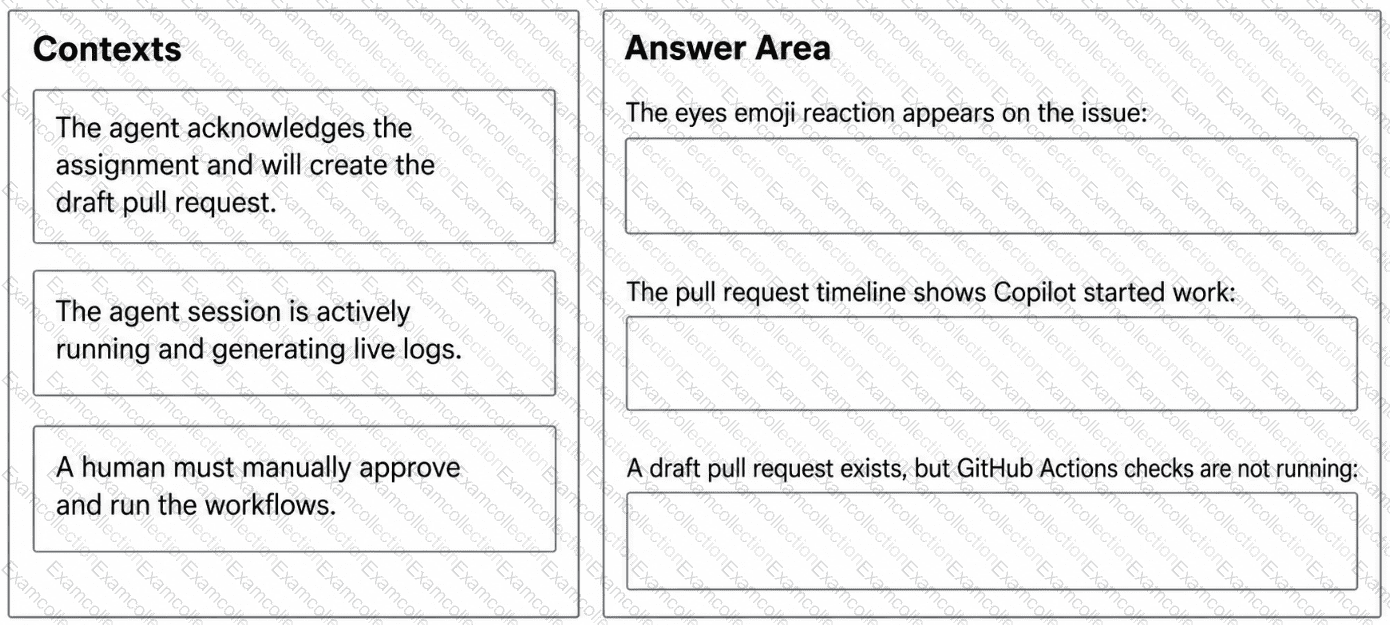
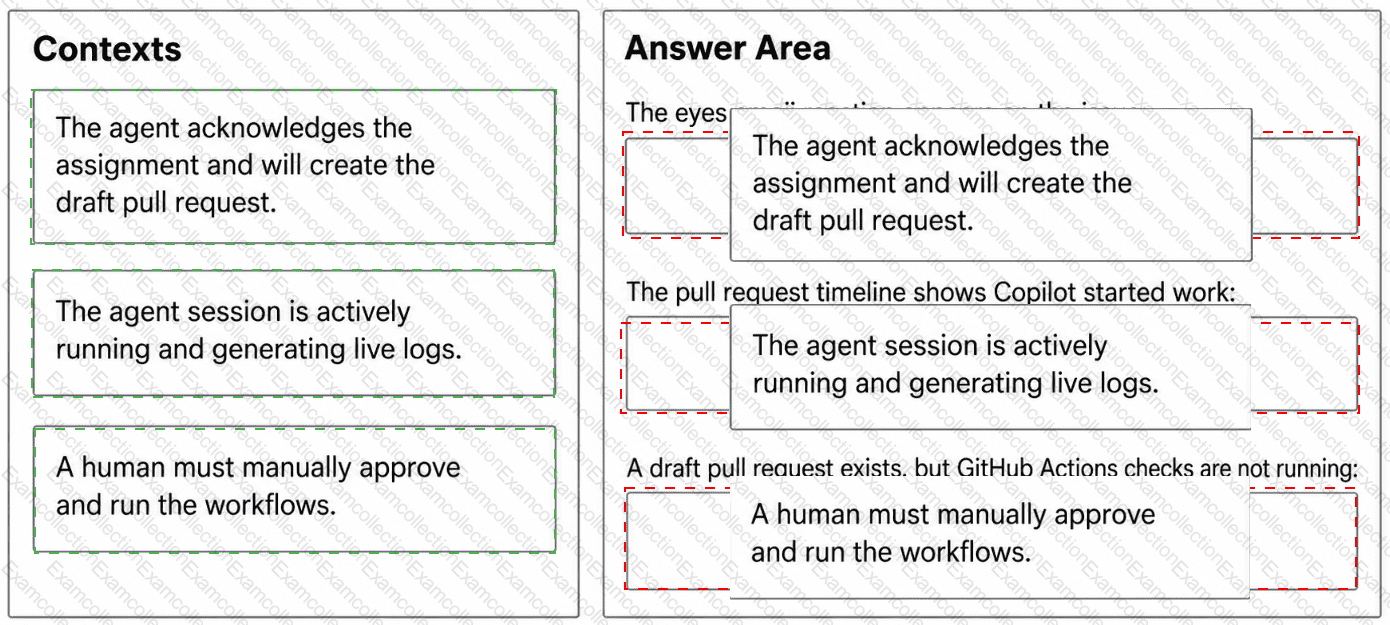
You have a GitHub Enterprise Cloud organization that uses the GitHub Copilot coding agent to resolve issues asynchronously.
When an issue is assigned to GitHub Copilot, the agent creates a draft pull request, but your team cannot always tell whether the agent is actively working, has completed its session, or is awaiting workflow approval.
Which execution context does each signal indicate? To answer, drag the appropriate context to the correct signals.
You have multiple GitHub Copilot coding agents that run tasks concurrently.
You live stream the session log output and see the following.
• agent execution (ID 987654321)
Run ./scripts/agent-run.sh
--------------------------------
[agent] Starting task: Clean up infra configs
[agent] Executing step: Remove unused files
rm -rf /infra
Error: Command blocked by policy
Reason: destructive_operation_detected
[agent] Escalating to human review...
X Run agent task
X Process completed with exit code 1
X agent-execution failed
What is a possible cause of the error?
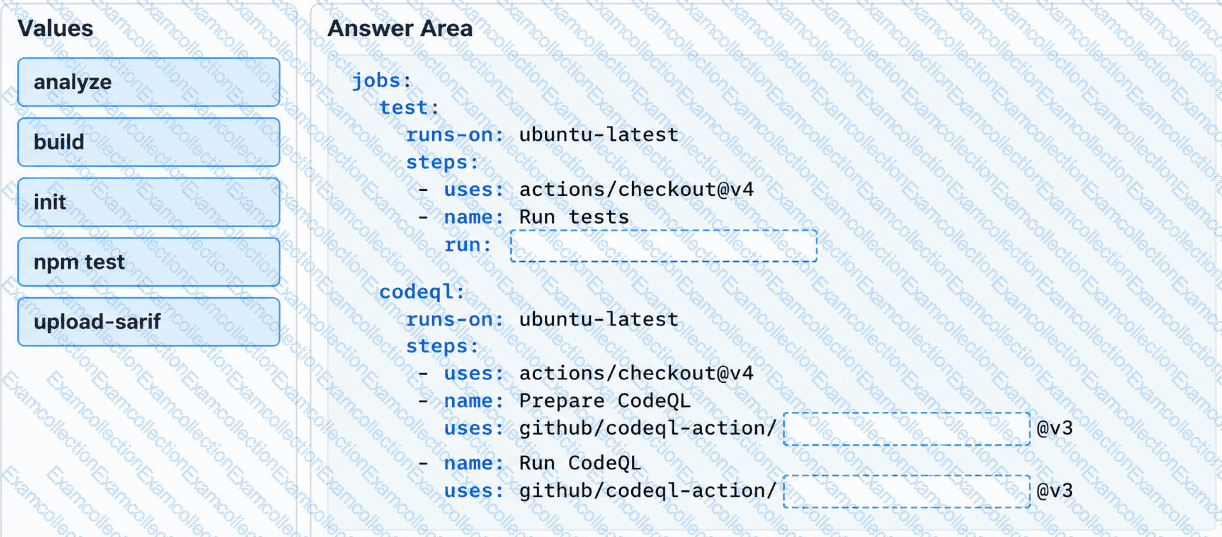
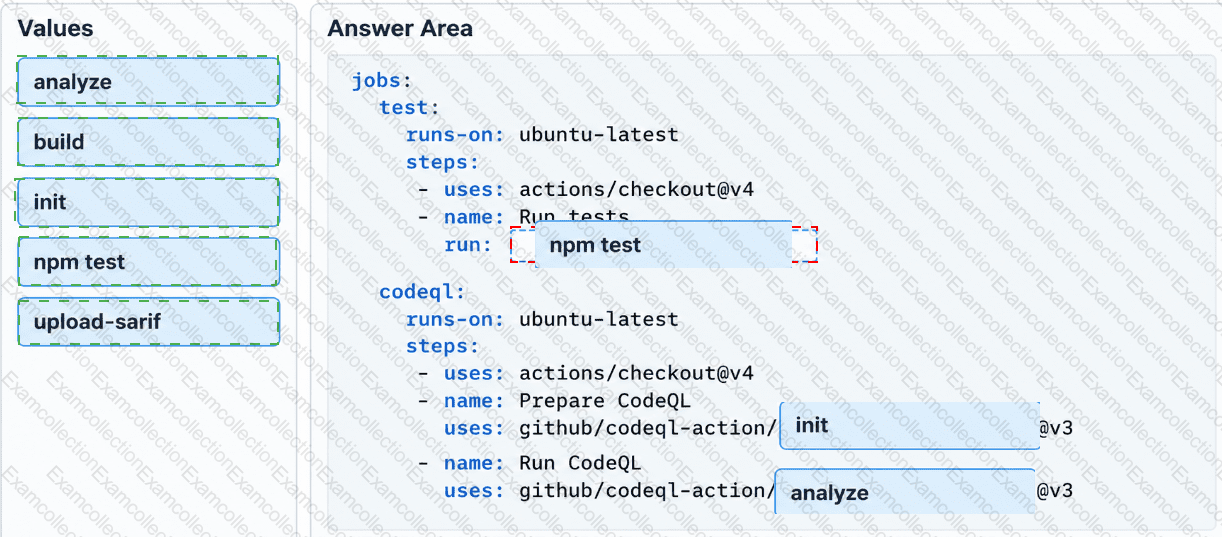
You have a GitHub repository that uses GitHub Actions for CI on pull requests. The repository contains a Node.js app.
You have a GitHub Copilot coding agent that opens pull requests for backlog items, and your company requires automated checks for agent-generated changes.
You plan to standardize success criteria so that pull requests created by agents only succeed when unit tests pass and CodeQL analysis completes.
You need to configure a GitHub Actions workflow that runs on pull requests, executes unit tests, and performs CodeQL analysis.
How should you complete the workflow? To answer, drag the appropriate values to the correct targets.
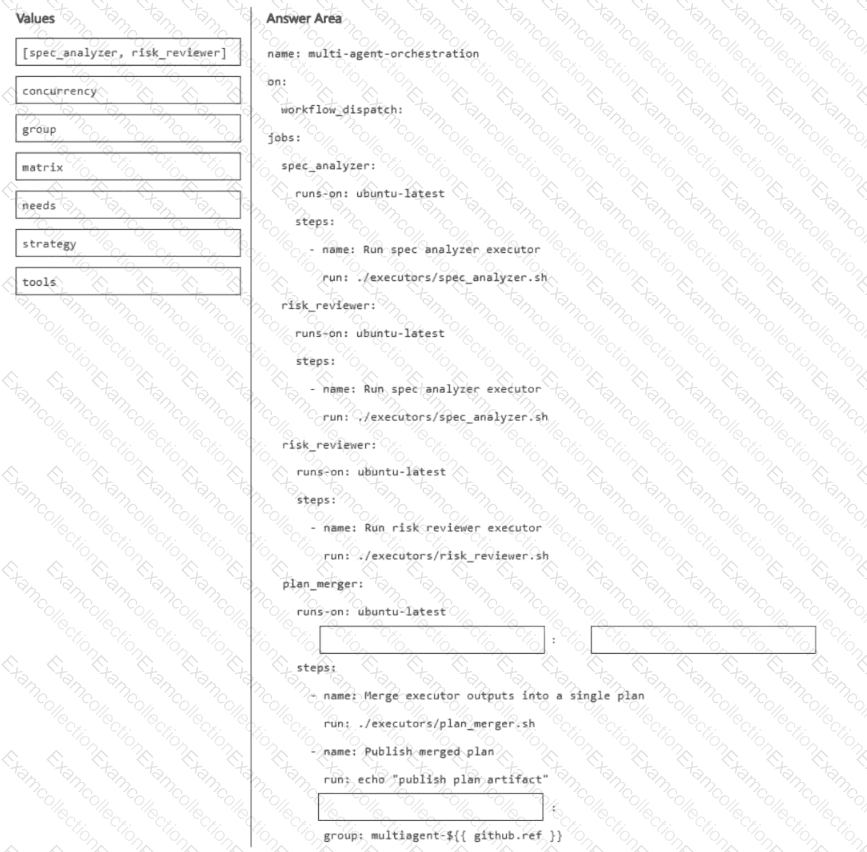
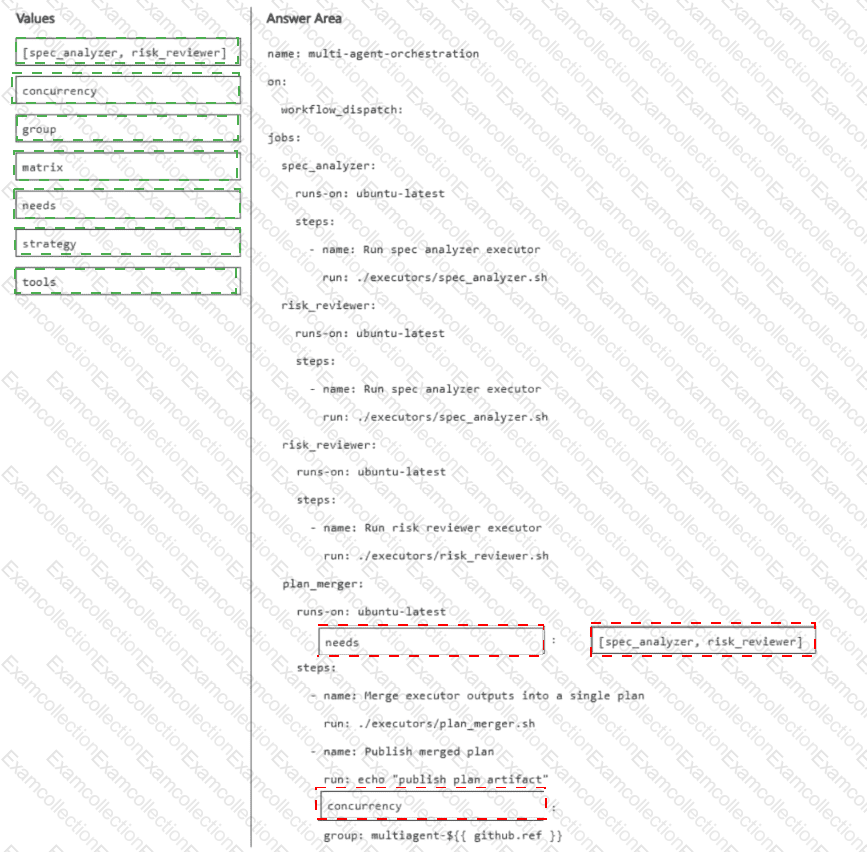
You have a GitHub repository that runs an agentic software development lifecycle workflow by using GitHub Actions. The workflow uses the following three executors implemented as scripts: spec_analyzer, risk_reviewer, and plan_merger.
You need to coordinate multiple specialized agents so that analysis and risk review run in parallel and then a final executor merges the outputs into a single plan. The orchestration pattern must fan out one request to multiple executors and then fan in the results to a final executor.
How should you complete the workflow definition? To answer, drag the appropriate values to the correct targets.
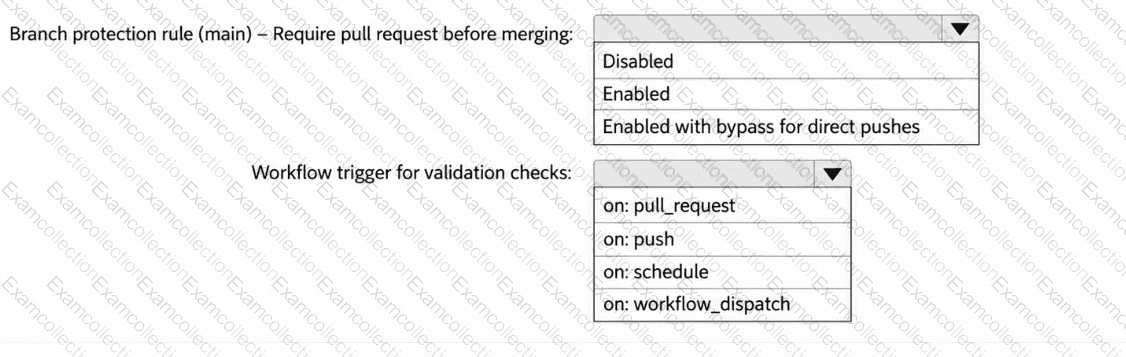
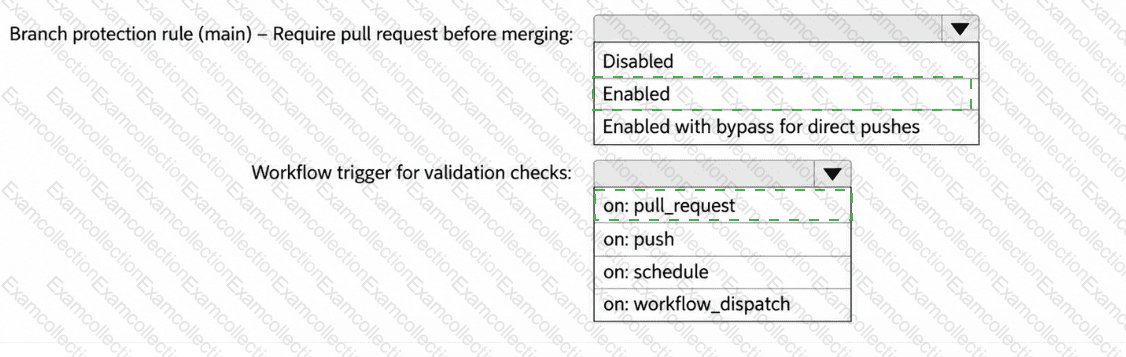
You have a GitHub repository that uses GitHub Actions for CI.
Your team is piloting the GitHub Copilot coding agent to autonomously create branches and open pull requests. The repository follows trunk-based development that uses main as the default branch.
You need to ensure that the agent meets the following requirements:
Changes to main can occur only by using pull requests that have at least one approval.
When a pull request is opened, a validation workflow runs.
How should you configure the repository? To answer, select the appropriate options in the answer area.
You have a GitHub repository that uses three GitHub Copilot coding agents named agent1, agent2, and agent3.
During structured evaluation runs, agent1 frequently returns Markdown narratives instead of a machine-parsable result.
You need to ensure that agent1 consistently returns only a predefined JSON structure without affecting the output of the other agents.
Which file should you modify?
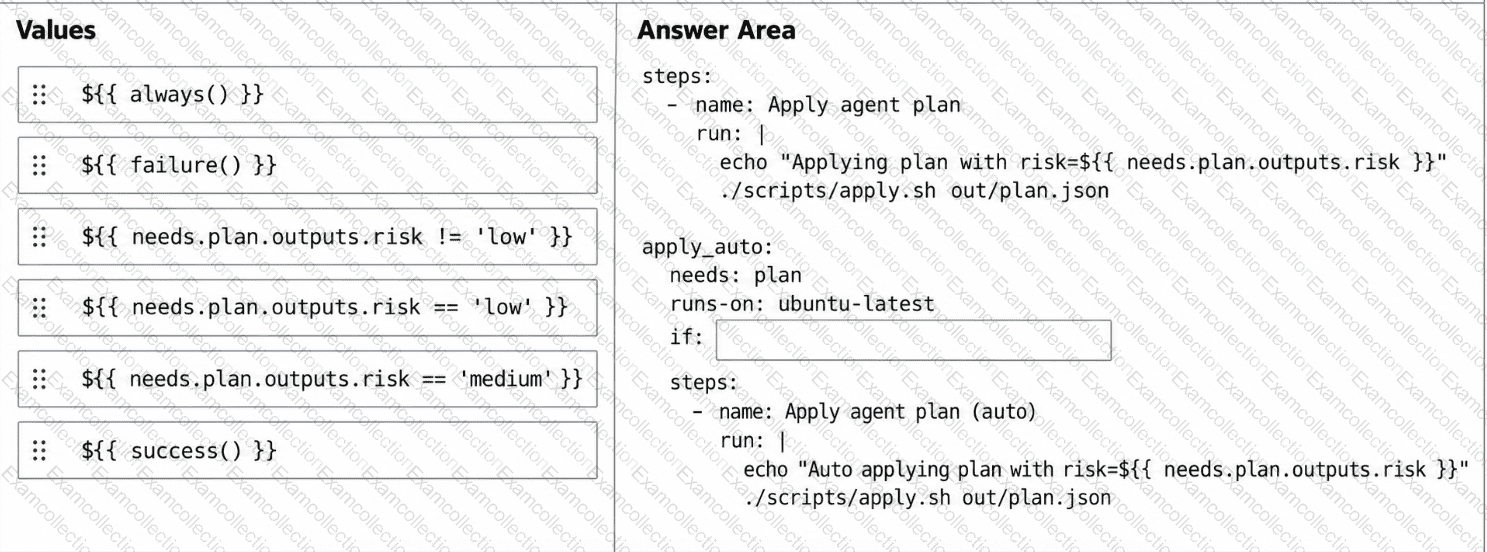
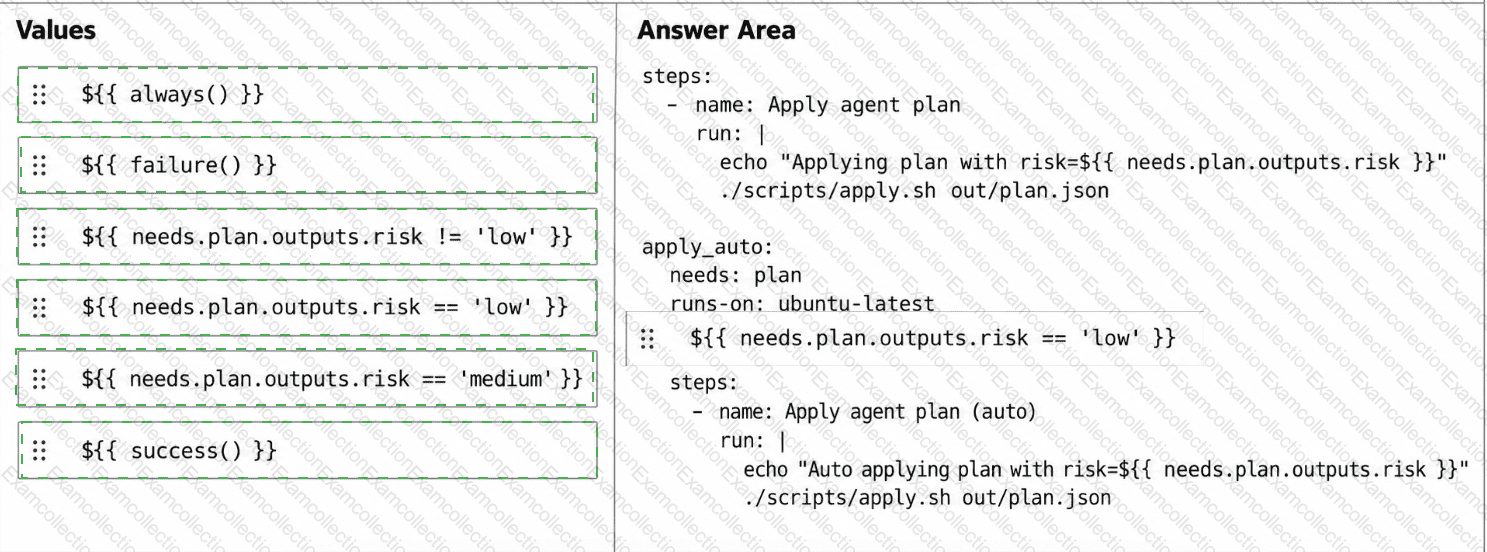
You have a GitHub repository that uses a GitHub Actions workflow to run an agent-driven change plan as part of a CI pipeline. The workflow generates an artifact named plan.json that includes a field named risk. risk has possible values of low, medium, or high.
You need to ensure that a human must confirm the execution of the workflow when risk is medium or high. The workflow must proceed automatically only when risk is low.
How should you complete the workflow? To answer, drag the appropriate values to the correct targets. Each value may be used once, more than once, or not at all. You may need to drag the split bar between panes or scroll to view content.
NOTE: Each correct selection is worth one point.
In Microsoft Visual Studio Code, you use GitHub Copilot agent mode for a repository. The GitHub Model Context Protocol (MCP) server is enabled.
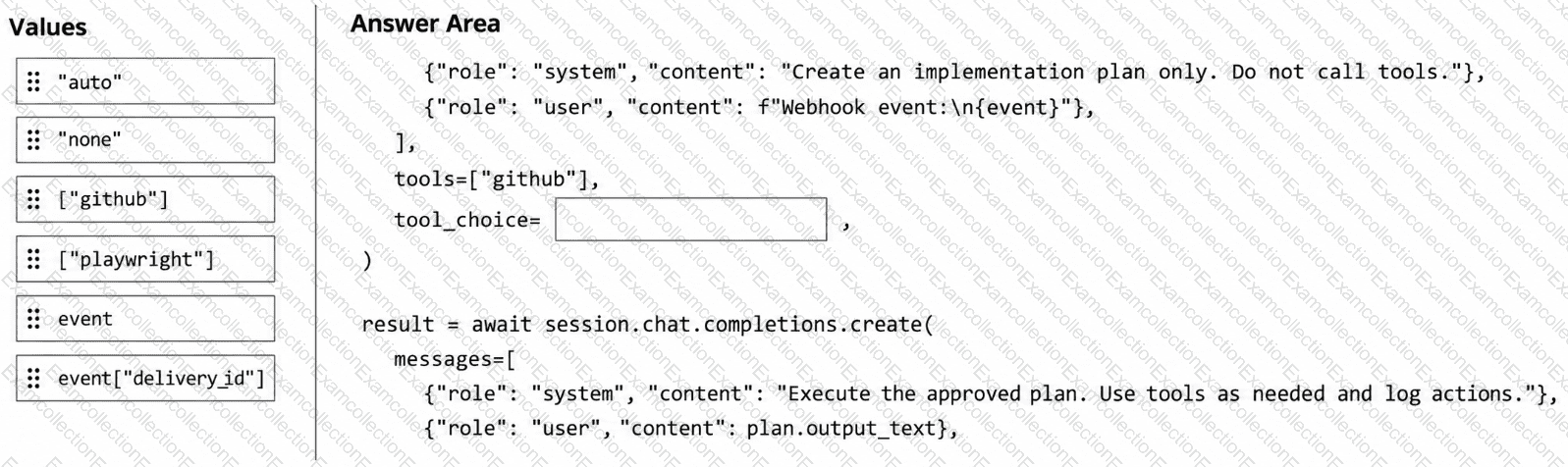
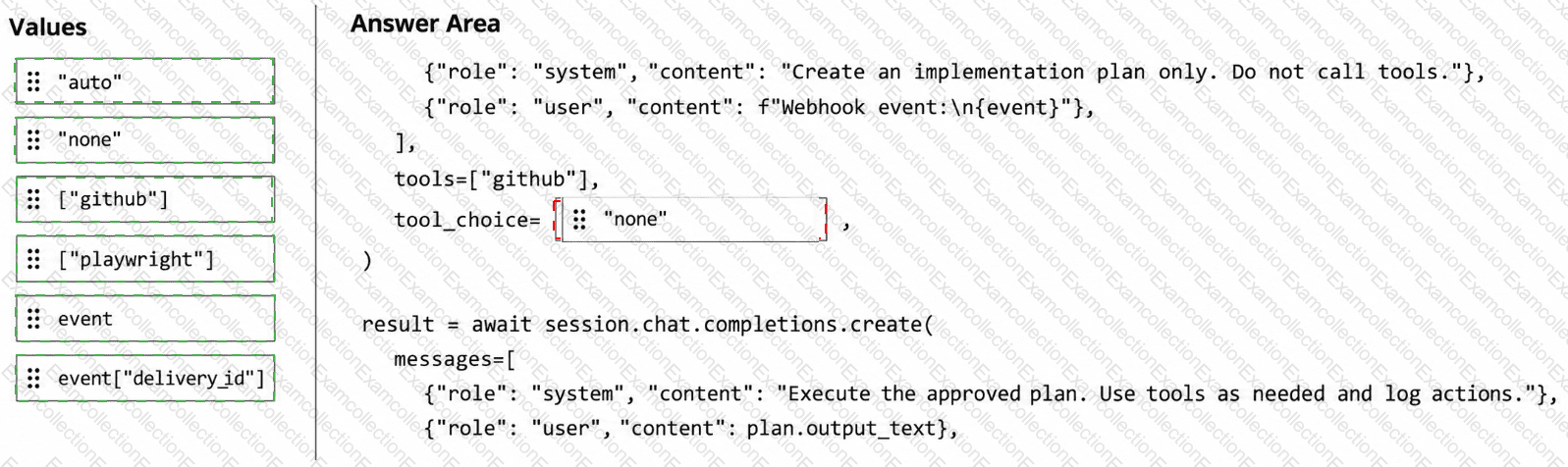
Your team maintains an internal orchestrator script that creates independent Copilot SDK sessions to process operational events from webhooks.
You discover that the agent sometimes mixes context between unrelated webhook deliveries. Additionally, in some cases, the agent starts running tools before a human reviews the proposed steps.
You need to ensure that the script meets the following business requirements:
Planning must be kept separate from executing.
Each plan must be captured without calling any tools.
Each webhook event must create a new independent session.
Once the plan is complete, tool calls must be enabled within the same event-specific session for follow-up.