


Microsoft MB-230 - Microsoft Dynamics 365 for Customer Service
You are a Dynamics 365 system administrator.
The customer service desk needs to be able to apply service level agreements (SLAs) on demand to customers that do not have SLAs.
You need to determine how SLAs on demand can be assigned.
What are two possible ways to achieve this goal? Each correct answer presents a complete solution.
NOTE: Each correct selection is worth one point.
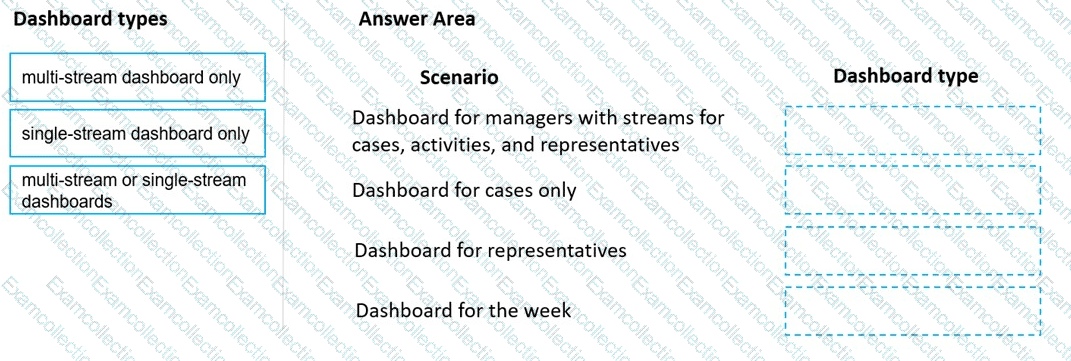
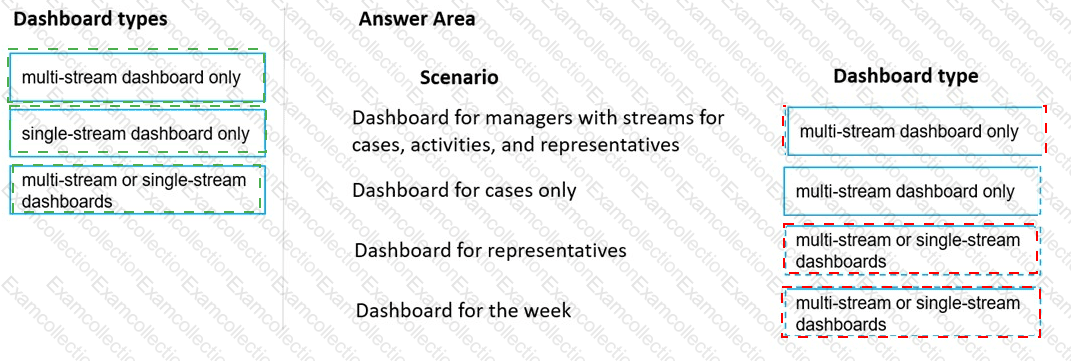
You need to create the dashboards.
Which dashboard types should you use? To answer, drag the appropriate dashboard types to the correct scenario. Each dashboard type may be used once, more than once, or not at all. You may need to drag the split bar between panes or scroll to view content.
NOTE: Each correct selection is worth one point.
You need to implement service-level agreements.
Which type of agreements should you implement?
You need to ensure users can search the knowledge base from a case record.
Which two actions should you perform? Each correct answer presents part of the solution.
NOTE: Each correct selection is worth one point.
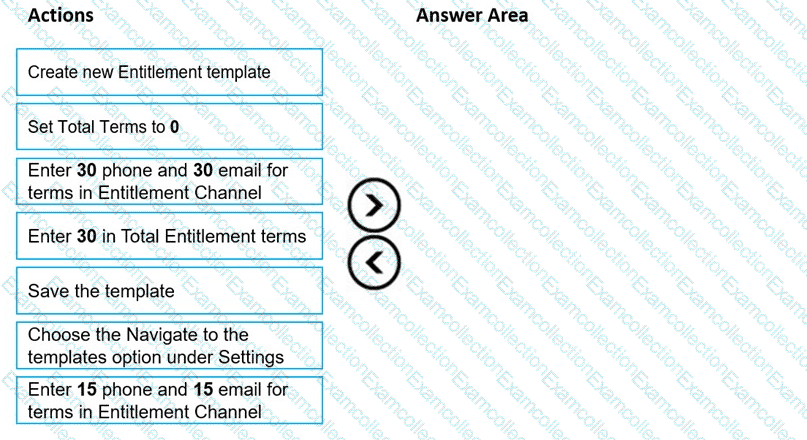
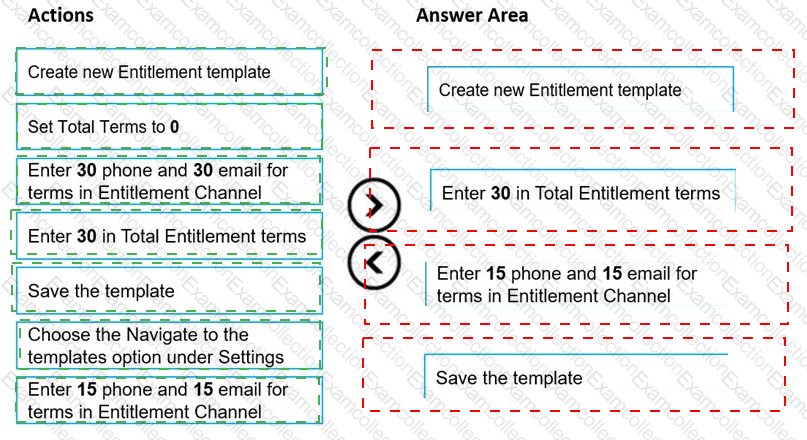
You need to create an entitlement template. In System Settings, you navigate to Service Management.
Which four actions should you perform in sequence? To answer, move the appropriate actions from the list of actions to the answer area and arrange them in the correct order.
You need to add SLA timers to the Case form.
Which two options should you configure? Each correct answer presents part of the solution.
NOTE: Each correct selection is worth one point.
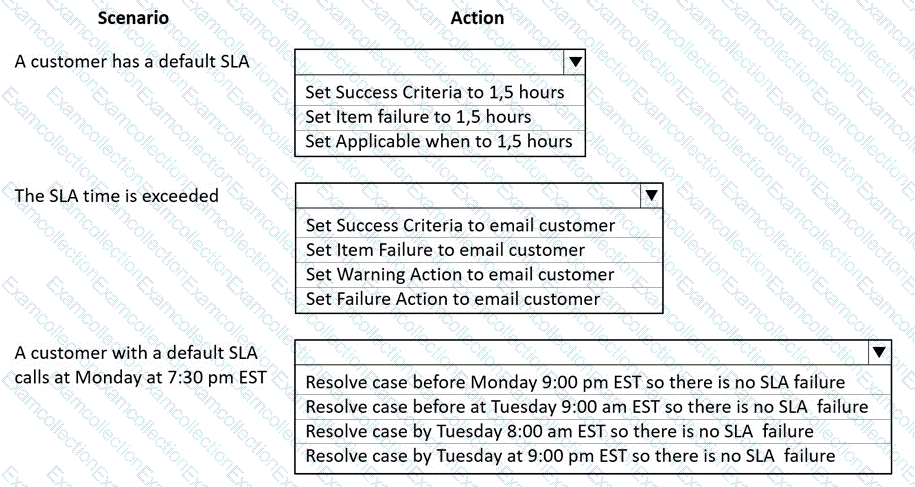
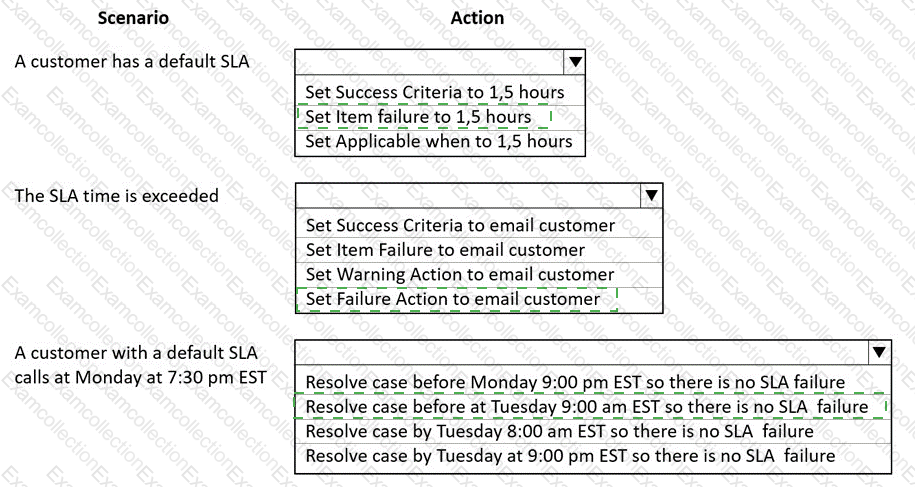
You need to decide which action is applicable in the SLA.
What should you do? To answer, select the appropriate options in the answer area.
NOTE: Each correct selection is worth one point.
You need to resolve the live chat routing issue for Agent2.
Which three actions can you perform? Each correct answer presents a complete solution.
NOTE: Each correct selection is worth one point.
You need to resolve the issues with the French-translated article.
Which two actions should you perform? Each correct answer presents part of the solution. NOTE: Each correct selection is worth one point.
You need to configure the SMS workstream for the agents, what should you do?
