


CompTIA XK0-005 - CompTIA Linux+ Exam
An administrator is running a web server in a container named web, but none of the error output is not showing. Which of the following should the administrator use to generate the errors on the container?
An administrator is troubleshooting a database service outage that was reported by a monitoring system. Given the following output:
$ systemctl status mariadb
Oct 20 16:40:45 comptia systemd[1]: mariadb.service: Main process exited, code=killed, status=9/KILL
Oct 20 16:40:45 comptia systemd[1]: mariadb.service: Failed with result 'signal'.
Oct 20 16:40:50 comptia systemd[1]: Stopped MariaDB 10.3 database server.
$ dmesg
[ 1061.491433] oom-kill:constraint=CONSTRAINT_NONE,nodemask=(null),cpuset=/,mems_allowed=0,global_oom, task_memcg=/system.slice/mariadb.service, task=mysqld,pid=1981,uid=27
[ 1061.491453] Out of memory: Killed process 1981 (mysqld) total-vm:330668kB, anon-rss:31316kB, file-rss:OkB, shmem-rss:OkB, UID:27 pgtables:324kB oom_score_adj:0
Which of the following is the reason for the outage?
Users report that they cannot access some files located in the /opt/finapp directory after a power outage caused an unexpected server restart. A Linux administrator examines the following filesystem details and system logs:
# mount | grep finapp
/dev/mapper/rhel-opt_finapp on /opt/finapp type xfs (rw,relatime,seclabel,attr2,inode64,logbufs=8,logbsize=32k,noquota)
# lsblk
NAME MAJ:MIN RM SIZE RO TYPE MOUNTPOINT
sda 8:0 0 931.5G 0 disk
├─sda1 8:1 0 1G 0 part /boot
└─sda2 8:2 0 930.5G 0 part
├─rhel-root 253:0 0 30.5G 0 lvm /
└─rhel-opt_finapp 253:1 0 900G 0 lvm /opt/finapp
# grep opt_finapp /var/log/messages
XFS (opt_finapp): Corruption detected in inode 3645, extent tree
Which of the following commands should the administrator run in an attempt to fix the filesystem?
A Linux administrator needs to check the content of a log file that is appending data as the file grows. Which of the following commands should the administrator use to accomplish this task?
A new drive was recently added to a Linux system. Using the environment and tokens provided, complete the following tasks:
• Create an appropriate device label.
• Format and create an ext4 file system on the new partition.
The current working directory is /.
A systems administrator is compressing old log files in order to save space. Which of the following commands will allow the administrator to save the most space?
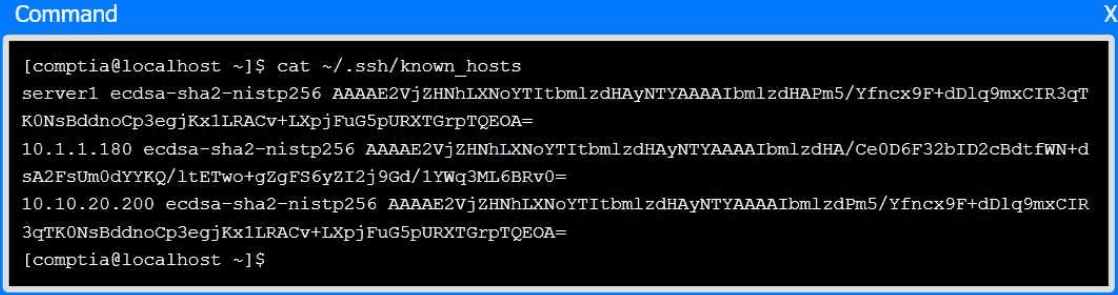
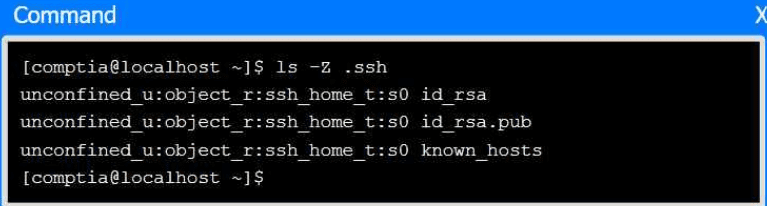
A senior administrator has placed a private key for user admin in your home directory.
The server you need to remotely access is server1 and SSH is listening on port 2222.
INSTRUCTIONS
Part 1
Review the command output and build the correct command to place the private key
into your SSH folder.
Part 2
Review the command output and build the correct command to set the file
permissions.
Part 3
Review the command output and build the correct command to set the correct
ownership.
In each part, click on objects to build a complete command. Command objects may
be used more than once, but not all will be used. Use _ as the spacebar. Click the
arrow to remove any unwanted objects from your command.
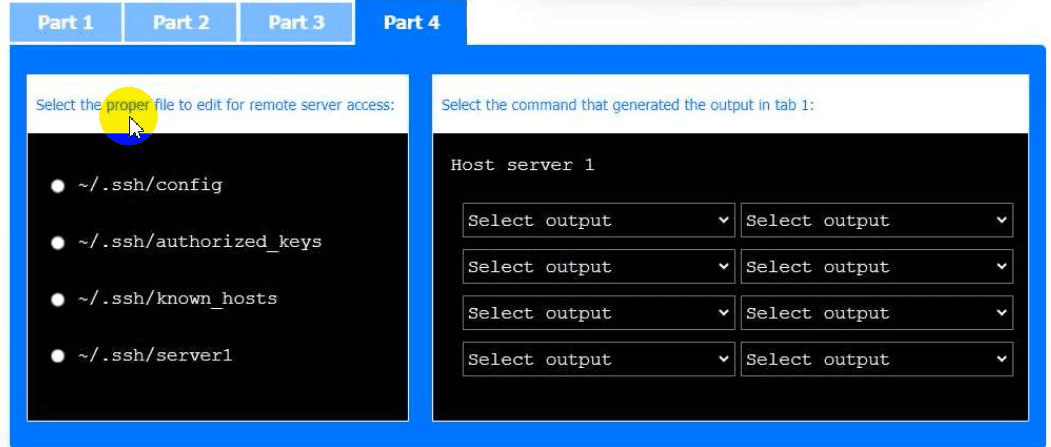
Part 4
Select the proper file to edit for remote server access. Then, build the correct
configuration output based on the server name, ports, and files.
A systems administrator created a new directory with specific permissions. Given the following output:
# file: comptia
# owner: root
# group: root
user: : rwx
group :: r-x
other: :---
default:user :: rwx
default:group :: r-x
default:group:wheel: rwx
default:mask :: rwx
default:other ::-
Which of the following permissions are enforced on /comptia?
An administrator would like to list all current containers, regardless of their running state. Which of the following commands would allow the administrator to accomplish this task?
A Linux engineer receives the following notification from a system:
cp: cannot create regular file '/app/appdata.tar*': No space left on device
The engineer obtains the following output:
[root@host ~]# df -i /app
Filesystem Inodes IUsed IFree Mounted on
/dev/vdb 2048 2048 0 /app
bash
[root@host ~]# df -h /app
Filesystem Size Used Avail Use% Mounted on
/dev/vdb 2.0G 6.1M 1.9G 1% /app
Which of the following describes the state of the filesystem based on this output?
