

Microsoft AB-650 - Administering Microsoft 365 and AI Services
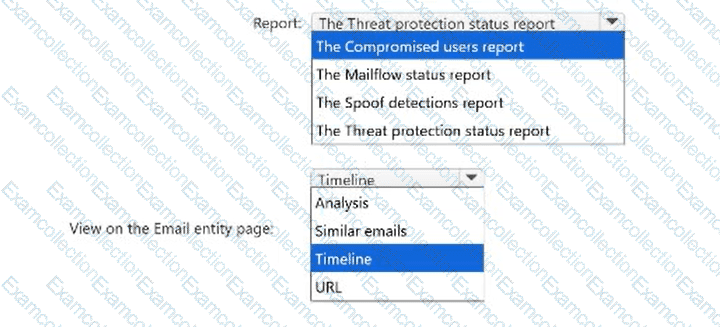
You have a Microsoft 365 E5 subscription that uses Microsoft Defender for Office 365.
You receive a report about an inbound phishing message. A security analyst provides you with the subject of the message.
You need to find emails that have the subject and review the delivery and post-delivery history for one of the emails.
What should you use in Microsoft Defender XDR? To answer, select the appropriate options in the answer area.
NOTE: Each correct selection is worth one point.

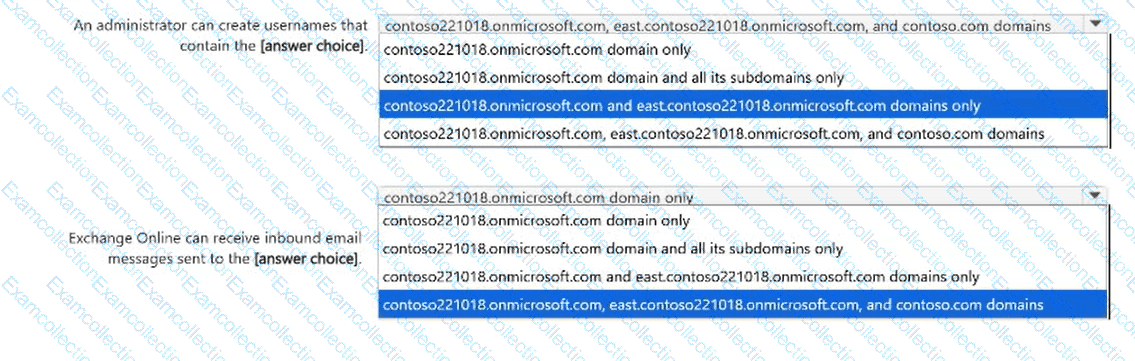
Your company has a Microsoft 365 subscription that contains the domains shown in the following exhibit.
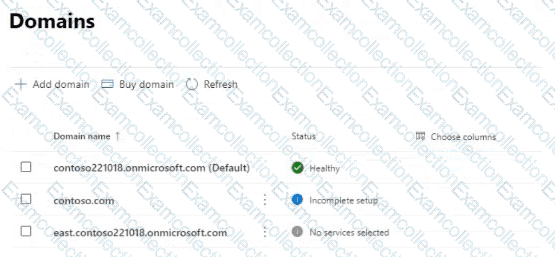
Use the drop-down menus to select the answer choice that completes each statement based on the information presented in the graphic.

You have a Microsoft 365 subscription that uses Microsoft Exchange. The subscription contains a mail-enabled security group named Group1.
You manage recipients by using Exchange Online PowerShell.
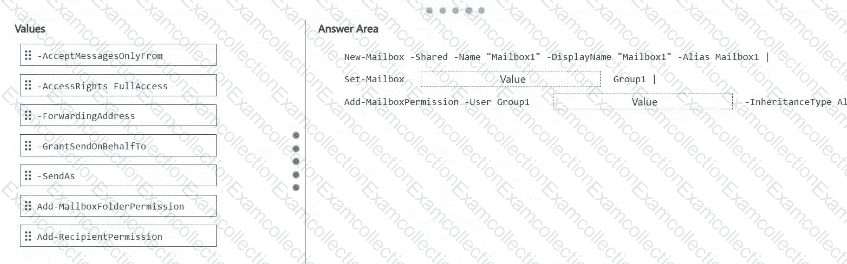
You need to create a shared mailbox named Mailbox1. The solution must meet the following requirements:
The users in Group1 must be able to open Mailbox1, create mailbox items, and modify the mailbox items.
The Group1 users must be able to send messages from Mailbox1, and recipients must be able to identify the individual sender.
How should you complete the PowerShell command? To answer, drag the appropriate values to the correct targets. Each value may be used once, more than once, or not at all. You may need to drag the split bar between panes or scroll to view content.
NOTE: Each correct selection is worth one point.
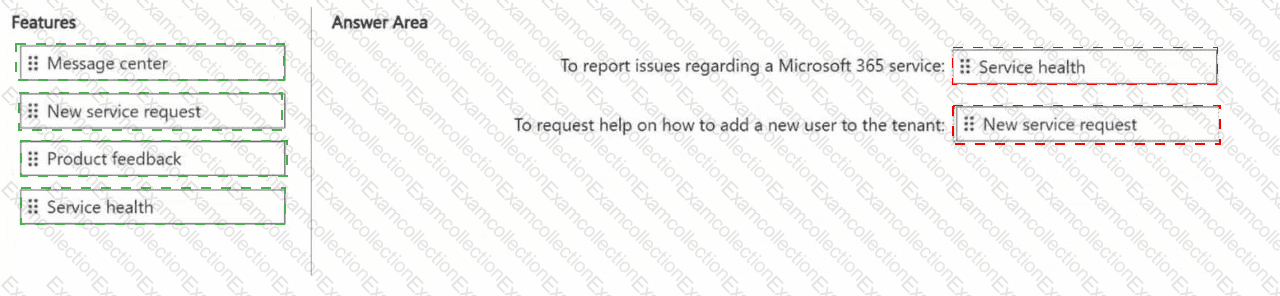
You have a Microsoft 365 subscription.
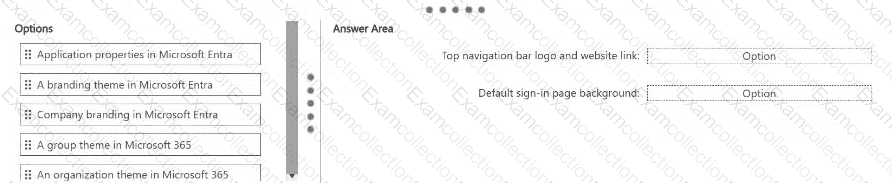
You need to configure branding for the subscription. The solution must meet the following requirements:
Display the company logo on the Microsoft 365 top navigation bar and link the logo to your company ' s website.
Display a background image on the default sign-in page for all users.
Which branding options should you use for each requirement? To answer, drag the appropriate options to the correct requirements. Each option may be used once, more than once, or not at all. You may need to drag the split bar between panes or scroll to view content.

You have a Microsoft 365 subscription.
Your company has multiple branch offices, including a branch office named Branch1. The users in Branch1 connect to Microsoft 365 by using a corporate web proxy.
On the Network connectivity page in the Microsoft 365 admin center, Branch1 displays the following network insight:
“We’re detecting WebSocket (WSS) connection failures to the domain: *.cloud.microsoft, which causes Copilot to not work correctly for your users.â€
HTTPS access to Microsoft 365 apps from Branch1 succeeds.
You need to resolve the insight without changing connectivity for the other branch offices.
What should you configure?
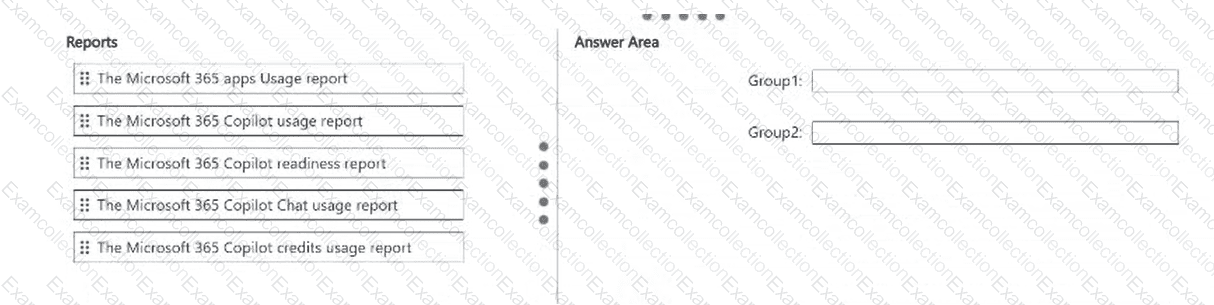
You have a Microsoft 365 subscription that contains the groups shown in the following table.

You need to provide adoption details for both groups from the last 30 days. The details must include the active users and the prompts of the users from the last 30 days.
Which Microsoft 365 admin center report should you use for each group? To answer, drag the appropriate reports to the correct groups. Each report may be used once, more than once, or not at all. You may need to drag the split bar between panes or scroll to view content.
NOTE: Each correct selection is worth one point.

You have a Microsoft 365 subscription. All users are assigned Microsoft 365 Copilot licenses.
During the last 30 days, the overall active user rate for Microsoft 365 Copilot remained stable, but you suspect that Copilot activity in Microsoft Word decreased.
You need to provide workload-level adoption evidence of the decrease. The solution must minimize administrative effort.
What should you do?
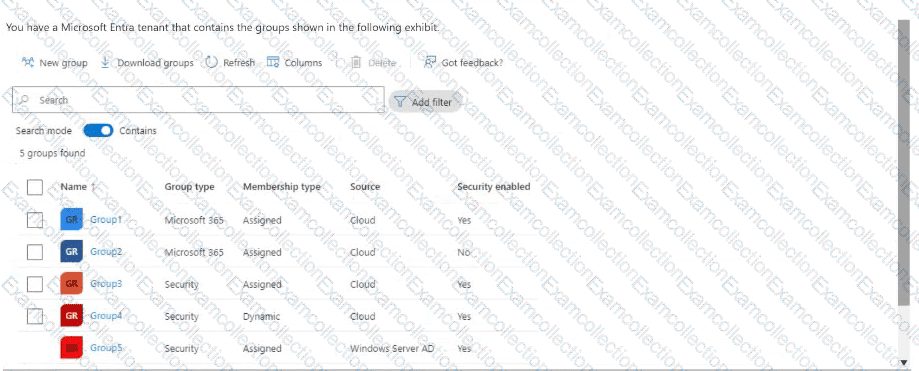
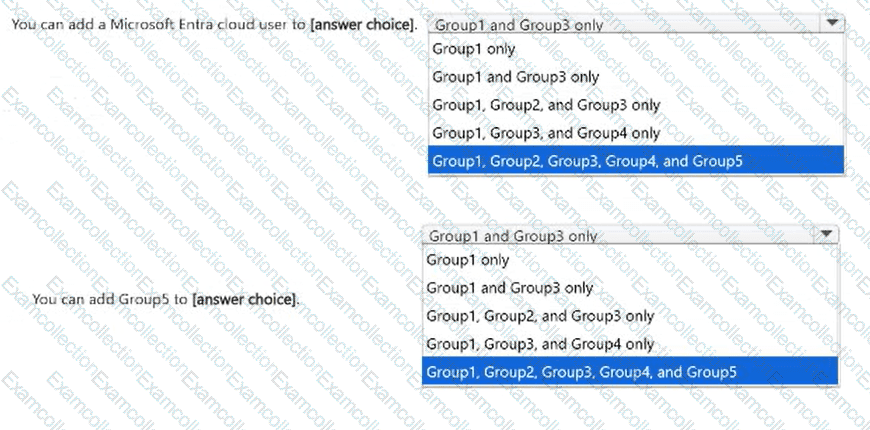
You have a Microsoft Entra tenant that contains the groups shown in the following exhibit.
For each of the following statements, select the appropriate option in the answer area.
Use the drop-down menus to select the answer choice that completes each statement based on the information presented in the
graphic.
NOTE: Each correct selection is worth one point.

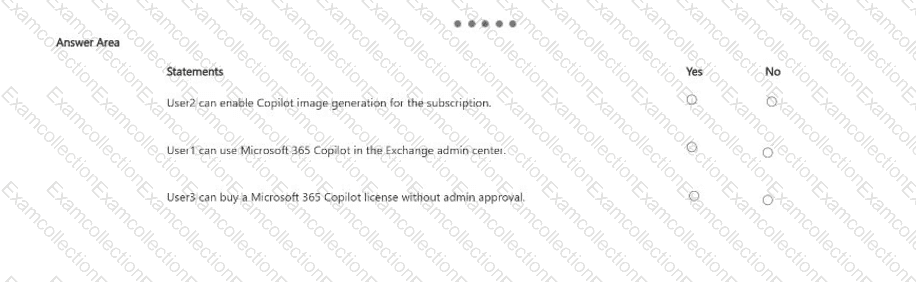
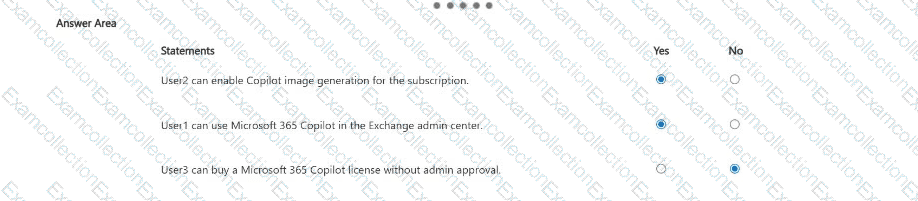
You have a Microsoft 365 subscription that has at least one paid Microsoft 365 Copilot license.
Microsoft 365 Copilot is configured as shown in the following table.

The subscription contains the users shown in the following table.

For each of the following statements, select Yes if the statement is true. Otherwise, select No.
NOTE: Each correct selection is worth one point.

You have a Microsoft 365 E5 tenant.
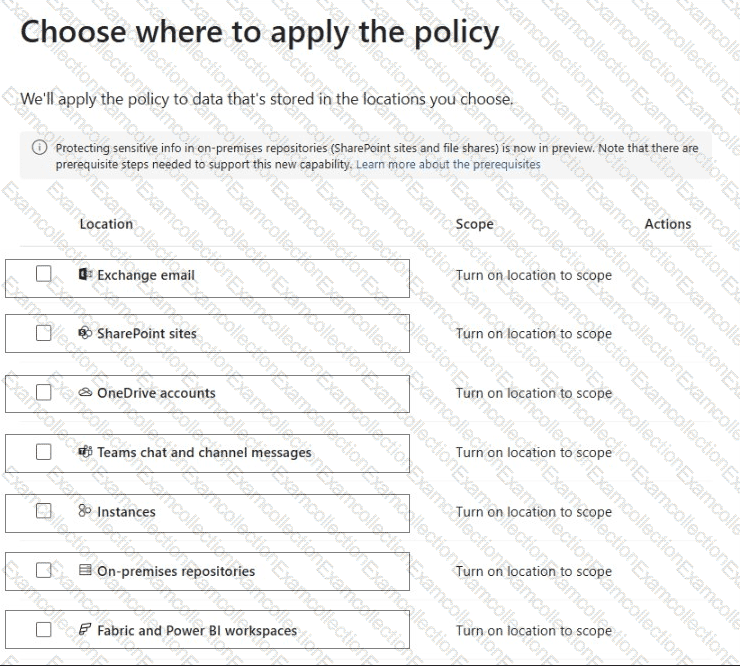
You create a data loss prevention (DLP) policy to prevent users from using Microsoft Teams to share internal documents with external users.
To which two locations should you apply the policy? To answer, select the appropriate locations in the answer area.
NOTE: Each correct selection is worth one point.