

Appian ACD101 - Appian Associate Developer
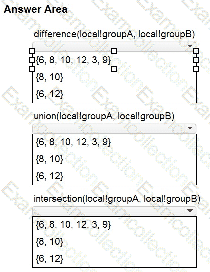
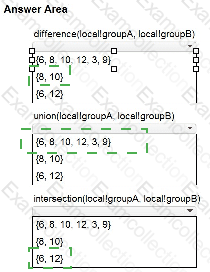
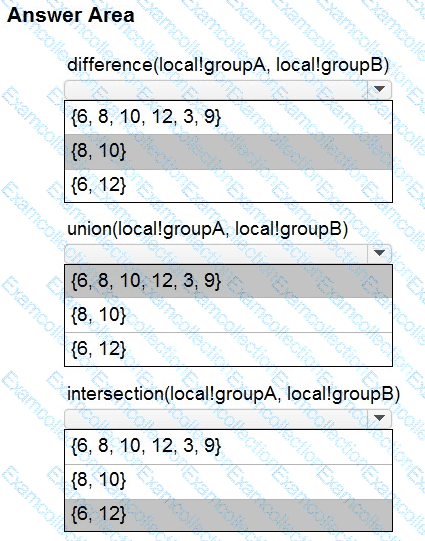
Review the following variables:

Match each expression rule to the expected output.
Note: Each output will be used once or not at all. To change your responses, you may deselect your response by clicking the blank space at the top of the selection list.
Review the following code snippet:
displayvalue(1, {0, 1, 2}, { " Low " , " Medium " , " High " }, " Unknown " )
The definition of displayvalue is:
Tries to match a value in a given array with a value at the same index in a replacement array and returns either the value at the same index or a default value if the value is not found.
What does this code snippet return?
A customer wants to display a small toolbar with three icons - a " sad face, " a " face with neutral expression, " and a " happy face " - on the bottom of every page in their application.
Users will be instructed to use the icon that best expresses their current experience using the application. This will allow the customer to collect valuable data about users.
Which object type should be called from each page to implement this feature?
You received a support ticket where the user claims that nothing happens when they click the button to complete a task. You confirm that the user is assigned to the task.
What is a possible reason for this problem?
You are running a process instance and an error occurs on an unattended node.
What happens to your process when this error occurs?
You are building an interface that displays flight departure times. The data must update automatically every minute and without user interaction.
How should this be configured?
-
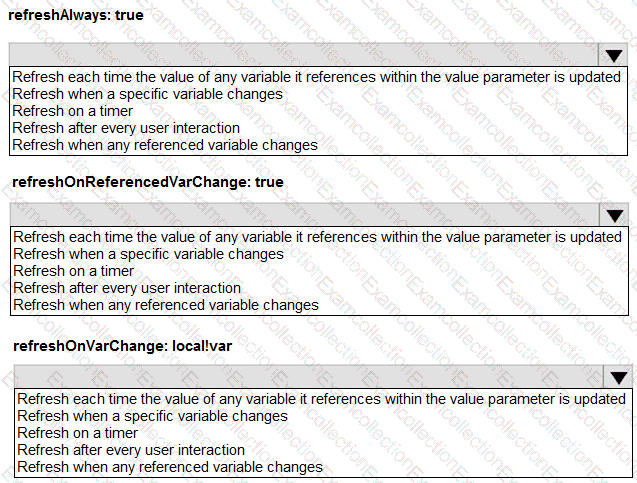
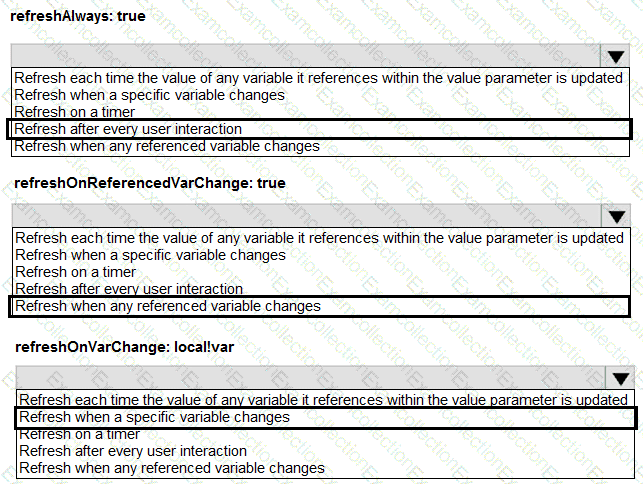
Match each a!refreshVariable configuration to the appropriate refresh behavior.
Note: Each refresh behavior will be used once, more than once, or not at all.