

Salesforce Analytics-DA-201 - Salesforce Certified Tableau Data Analyst
You have the following primary data source that contains a dimension named Dorm_Code.
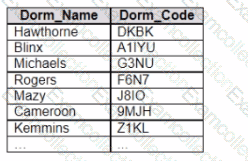
You receive the following secondary data source that contains updated dorm codes.
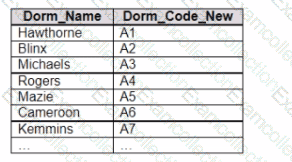
You need to bring the updated dorm codes into Tableau and use the codes in existing visualizations. The new dorm codes must use the existing field name of Dorm_Code.
What should you do?
You have a data source that contains 20 tables.
You want the tables to be organized within the Data pane based on the type of data contained within the tables.
What should you use?
A Data Analyst is creating a new dashboard.
The analyst needs to add a button to the dashboard that allows users to export the dashboard as an image.
Which type of object should the analyst use?
A Data Analyst has the following chart.
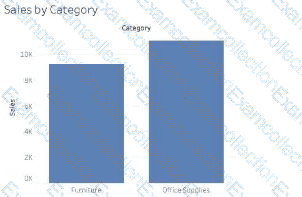
The analyst needs to enable the drilldown from Category to Subcategory as shown in the following chart.
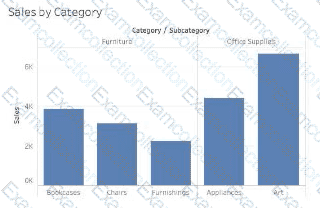
What should the analyst create?
When using Tableau Desktop to connect to a published data source on Tableau Cloud or Tableau Server, which data sources will be displayed to the user?
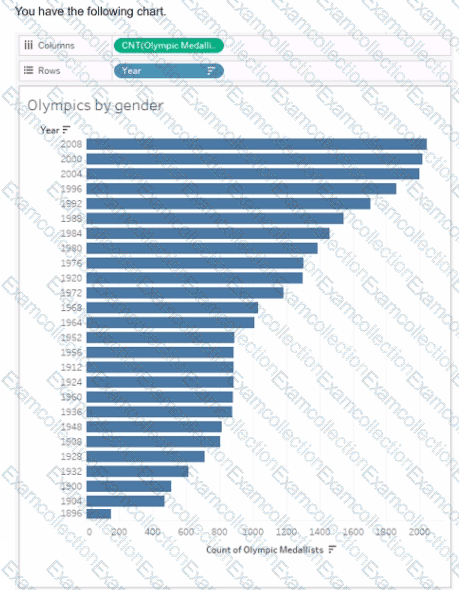
You need the top 10 values to appear in a different color. The lop 10 values must be colored dynamically.
What should you do?
You have a data source that contains the following columns.
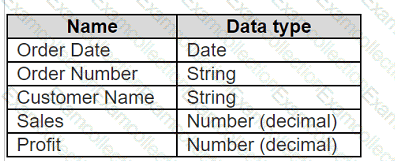
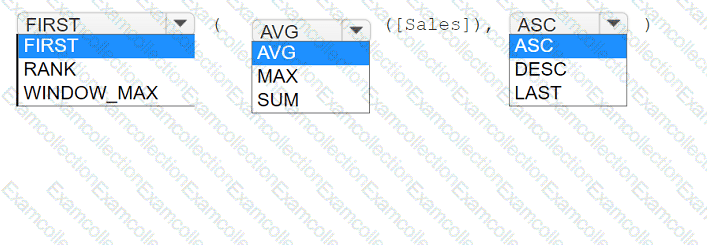
You want to sort customers based on the most expensive orders.
How should you complete the formula? (Use the dropdowns in the Answer Area to select the correct options to complete the formula.)

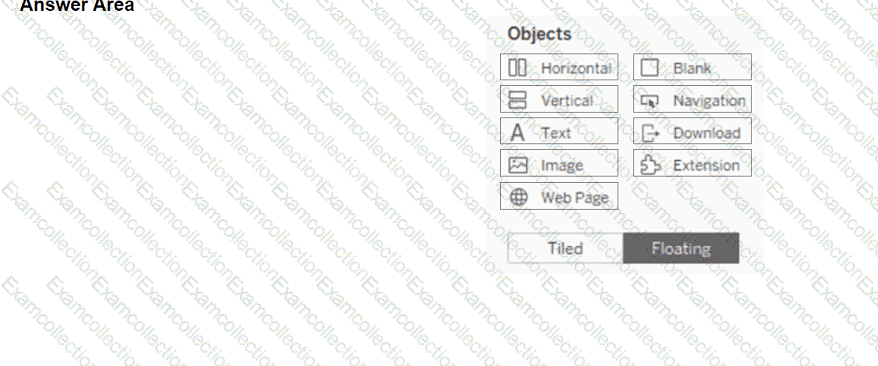
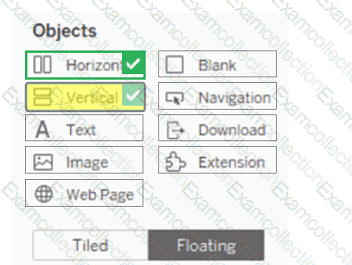
You have a blank dashboard.
You want to add two sheets to the dashboard. The sheets must support the Show/Hide button.
To which two objects can you add the sheets? (Click the two appropriate Options in the Answer Area.)

In a worksheet, you have a calculated column named YTD Sales that uses the following formula.
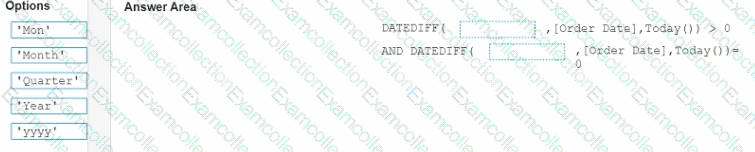
[Order Date] < = TODAY () AND DATETBUNC {“yearâ€, [Order Dace]) = DATETPUNC) " year " , TODAY(J)
You want to create a calculated column named Exclude Current Month that will be dragged to the Filters shell. Exclude Current Month will exclude the current month values from YTD Sales.
How should you complete the formula for Exclude Current Month? (Drag the appropriate Options to the Answer Area and drop into the correct locations.)

You want to add a draft watermark to a dashboard as shown in the following exhibit.
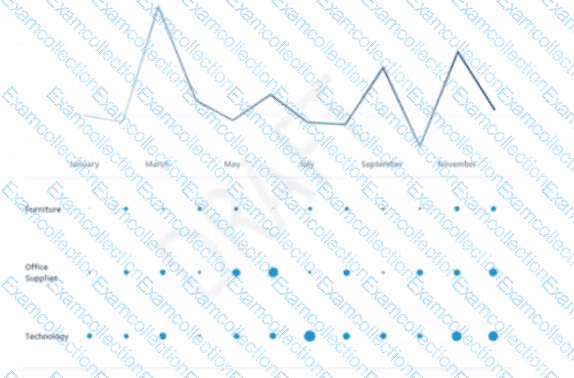
Which type of object should you use?