


Apple Apple-Device-Support - Apple Device Support Exam (SUP-2026)
Which Wireless Diagnostics window should you use to see a live view of current Wi-Fi signal strength, quality, and rate?
Scenario
You were asked to prepare to upgrade your organization ' s entire iPhone inventory to iOS 17. Your current inventory includes these devices:
• iPhone SE (2nd generation)
• iPhoneX
• iPhone SE (3rd generation)
• iPhone 6s
• iPhone 7
• iPhone 8
Select two responses.
Which two iPhone models should you replace to prepare for the iOS 17 upgrade?
Use this image to answer the question.
Which iPad model is compatible with Apple Pencil (2nd generation)?
A)
B)

C)

D)
Which feature allows you to share your screen during a FaceTime Call?
Select 4.
Which iPad models is the Apple Pencil (2nd gen) compatible with?
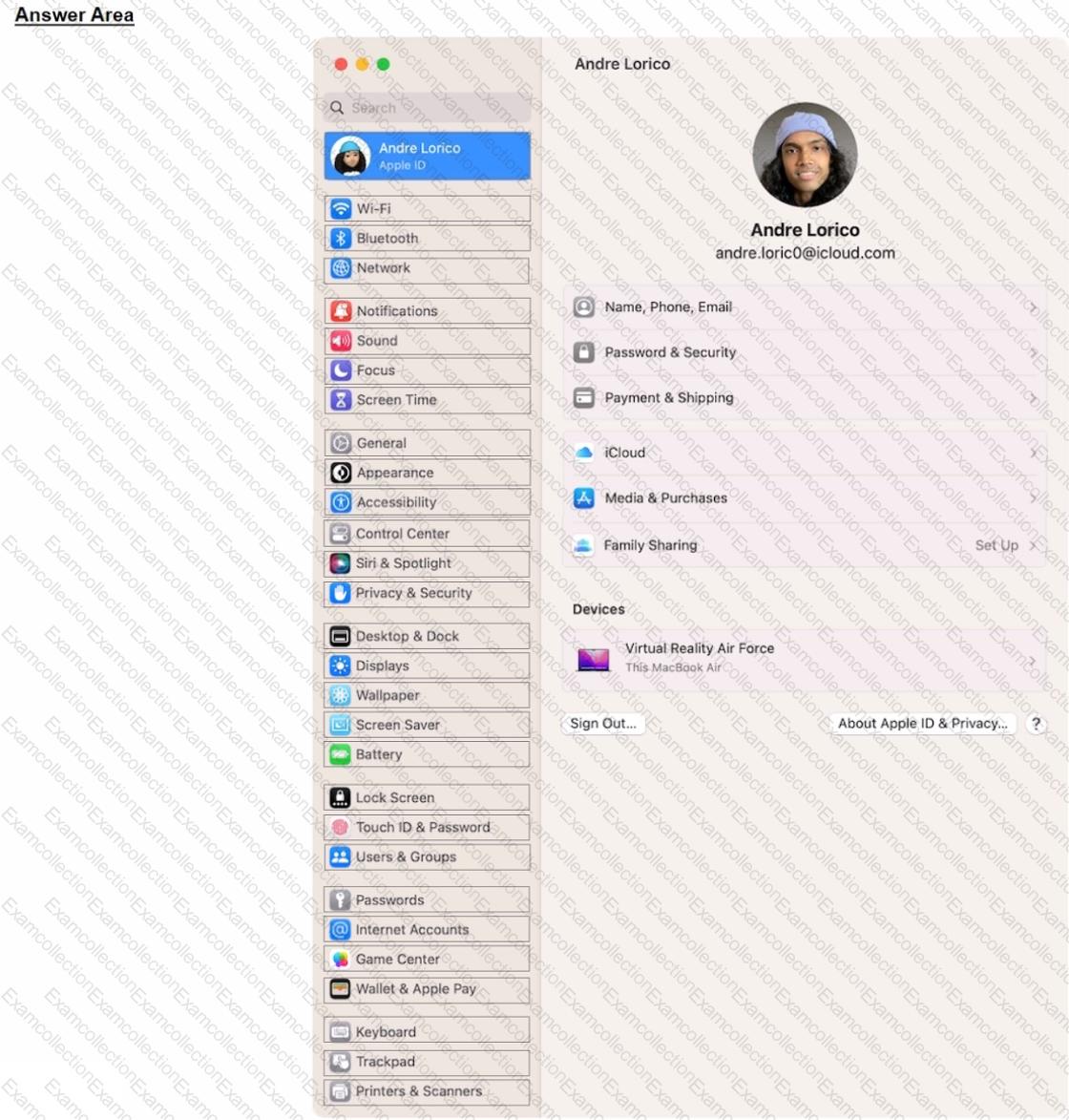
Select the setting in the sidebar that you should you use to copy the password of a known Wi-Fi network.

What should you do if an app on your iPhone stops responding?
Scenario
You ' re migrating your Windows PC to a new Mac.
Which software should you download on your Windows PC to aid the migration process?
Scenario
You ' re trying to connect a podcasting microphone to your MacBook Air. You ' re using the Apple USB-C Digital AV Multiport Adapter connected to a standard USB A to B cable that connects to the microphone. You open Sound in System Settings and click the input tab. but the microphone doesn ' t appear in the sound input device list.
What should you use to verify that your Mac has successfully connected to the microphone?
What should you do before you use safe mode?