


IT Specialist INF-306 - HTML5 Application Development
Which two statements correctly describe media queries? Choose 2.
The following two images show a web page that uses a responsive layout displayed on a mobile device and on a PC.
Displayed on a mobile device:
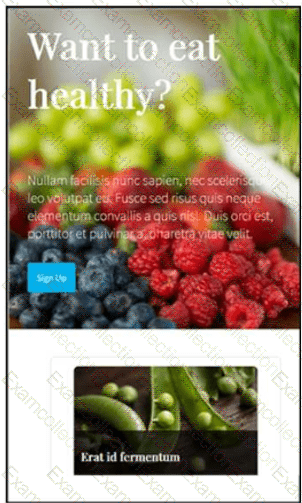
The layout stacks the content vertically.
Displayed on a computer monitor:
The layout displays the content cards horizontally in multiple columns.
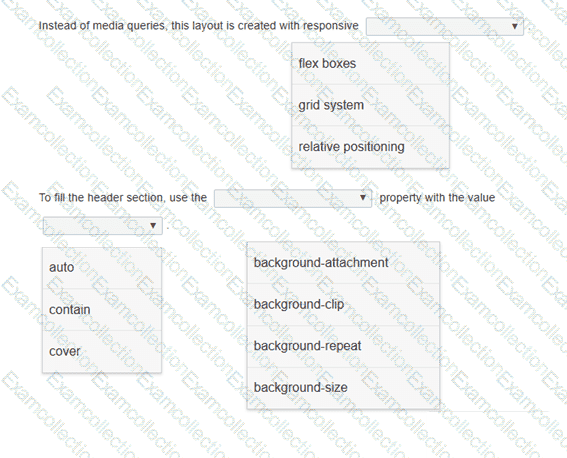
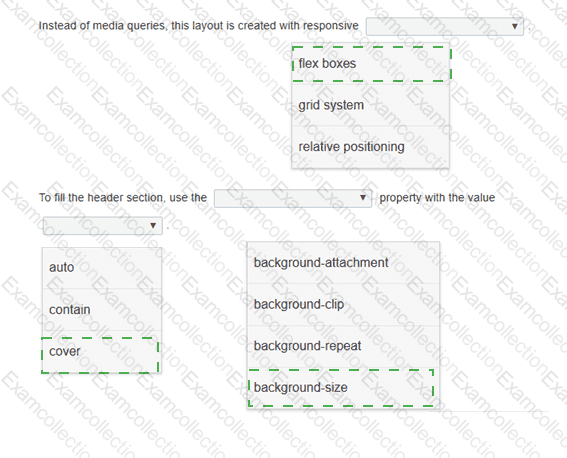
Review the images on the left.
Complete the statements by selecting the correct option from each drop-down list.
Which three events are valid for the HTML canvas element? Choose 3.
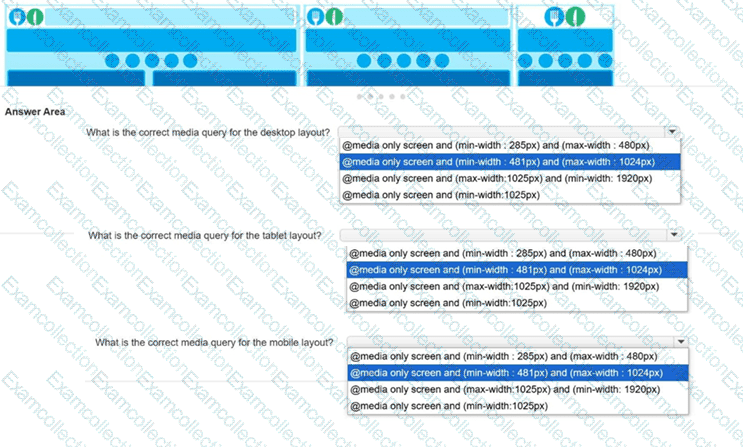
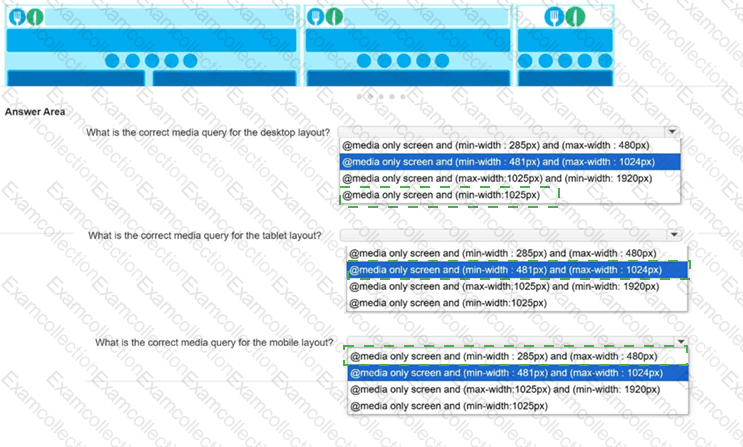
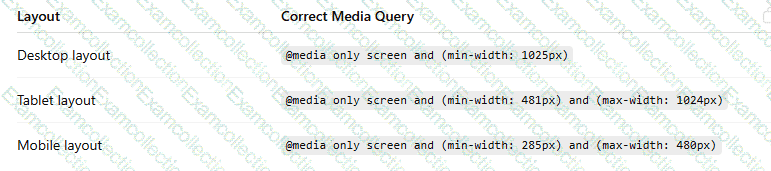
You need to implement media queries for the responsive layout of a new website.
Low-resolution wireframes for the desktop, tablet, and mobile layouts are shown.
You write the following markup to create a page. Line numbers are included for reference only.
01 < !DOCTYPE html >
02 < html >
03 < head >
04 < style >
05
10 < /style >
11 < /head >
12 < body >
13 < svg height= " 500 " width= " 500 " >
14 < defs >
15 < filter id= " f2 " x= " 0 " y= " 0 " width= " 200% " height= " 200% " >
16 < feOffset result= " offOut " in= " SourceGraphic " dx= " 20 " dy= " 20 " / >
17 < feGaussianBlur result= " blurOut " in= " offOut " stdDeviation= " 10 " / >
18 < feBlend in= " SourceGraphic " in2= " blurOut " mode= " normal " / >
19 < /filter >
20 < /defs >
21 < text x= " 10 " y= " 100 " style= " fill:red; " > Blur Me! < /text >
22 Sorry, your browser does not support inline SVG.
23 < /svg >
24 < /body >
25 < /html >
An SVG blur filter is defined in the markup on the left. You need to apply the SVG blur filter to the text element on the page.
Which CSS code should you insert at line 05?
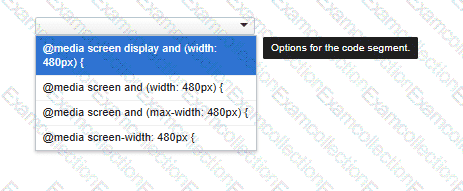
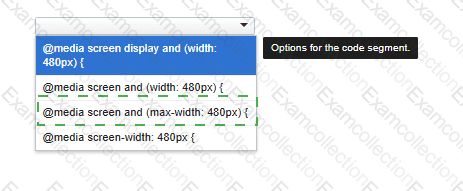
You need to correctly apply a style rule for screen devices with a width of 480 pixels or less.
Complete the code by selecting the correct option from the drop-down list.
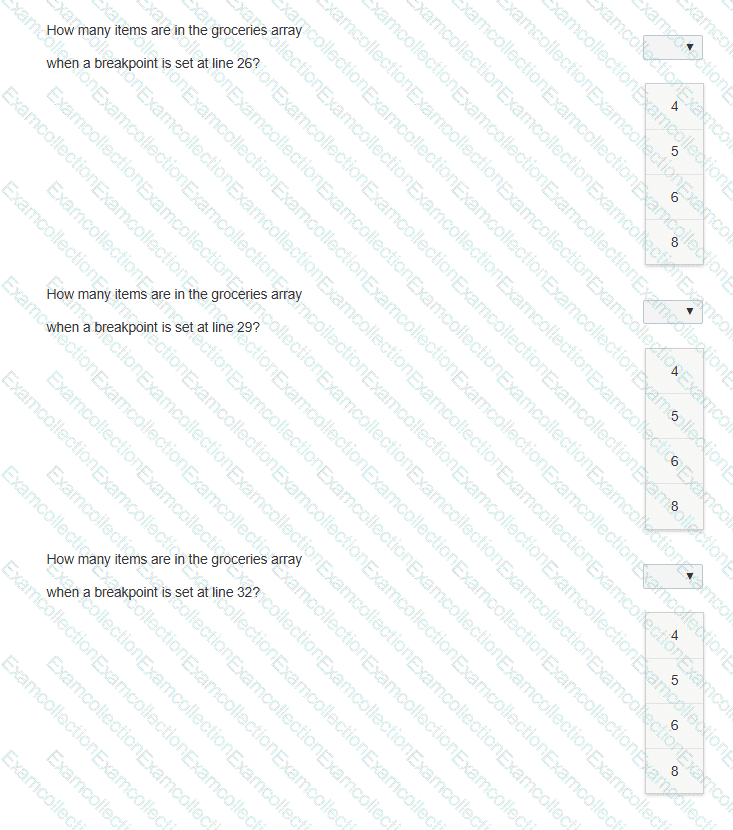
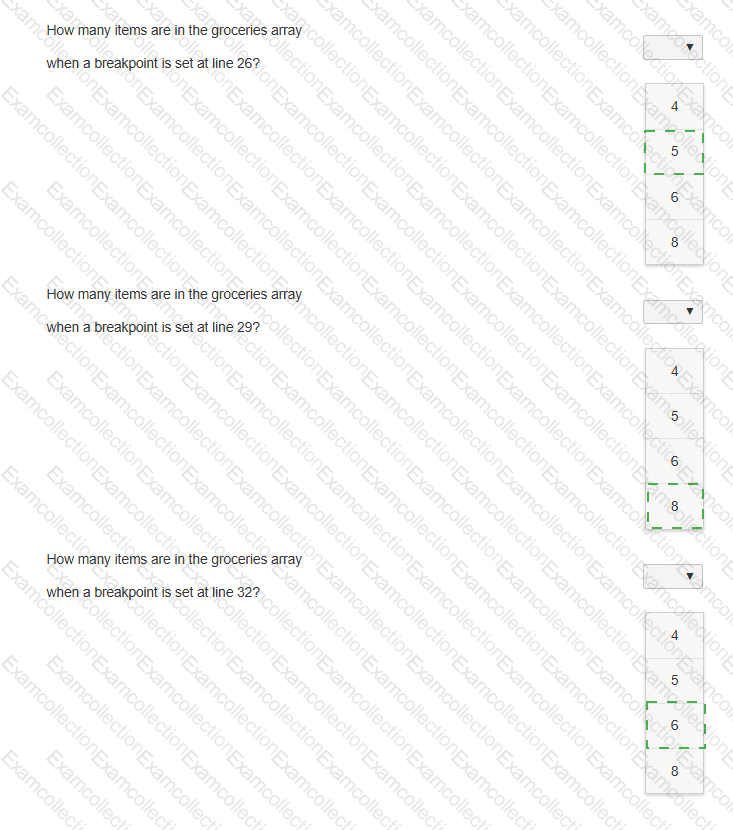
The following code adds items to the groceries array from the other arrays. Line numbers are for reference only.
01 < body >
02 < p id= " list " > < /p >
03 < script >
04 var groceries = [];
05 var dairy = [ " Milk " , " Eggs " , " Cheese " , " Ice Cream " ];
06 var beverages = [ " Juice " , " Water " , " Soda " , " Coffee " ];
07 var fruits = [ " Apples " , " Bananas " , " Grapes " , " Oranges " , " Strawberries " ];
08 var vegetables = [ " Broccoli " , " Carrots " , " Lettuce " , " Spinach " , " Tomatoes " ];
09 var meats = [ " Beef " , " Chicken " , " Pork " ];
10
11 function addVegetables() {
12 groceries = groceries.concat(vegetables);
13 }
14
15 function addFruits() {
16 groceries = groceries.concat(fruits);
17 }
18
19 function addOther() {
20 groceries.push(meats[1]);
21 groceries.push(dairy[3]);
22 }
23
24 fruits.shift();
25 addVegetables();
26
27 groceries.shift();
28 addFruits();
29
30 groceries.pop();
31 groceries.shift();
32
33 addOther();
34 document.getElementById( " list " ).innerHTML = groceries;
You need to debug the code on the left to determine how many items are in the groceries array at the specified breakpoints.
Evaluate the code and answer the questions by selecting the correct option from each drop-down list.
Note: You will receive partial credit for each correct answer.
Which two application features should you implement by using session storage? Choose 2.
You need to create the layout shown, which defines five content areas:
Logo and page title
Menu
Main content area
Additional content area
Copyright and contact information
You define the following classes:
You are creating a form that asks a user to enter their phone number. The form must be submitted only if the phone number field is not empty and matches the format 111-444-7777. Which markup should you use?
