


Microsoft MB-800 - Microsoft Dynamics 365 Business Central Functional Consultant
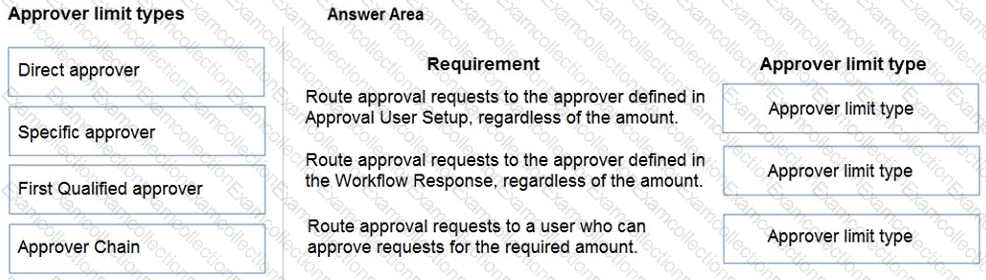
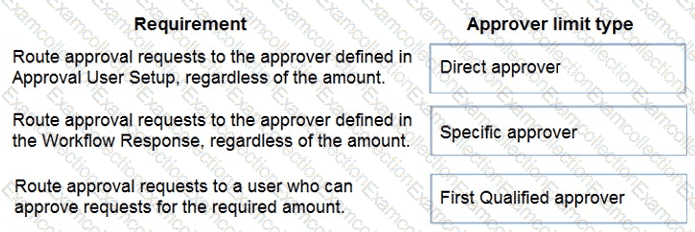
You are setting up approval workflows in Dynamics 365 Business Central.
You need to configure approval limits.
Which approver limit types should you use? To answer, drag the appropriate approver limit types to the correct requirements. Each approver limit type may be used once, or not at all. You may need to drag the split bar between panes or scroll to view content.
NOTE: Each correct selection is worth one point.

You are a functional consultant configuring items in Dynamics 365 Business Central.
You are configuring multiple units of measure for an item that has a base unit of measure of PCS and an additional unit of measure of BOX. One BOX holds 20 PCS of an item.
You need to define the relationship between the units of measure.
Which value should you populate on the Item Units of Measure page for the item?
