


Microsoft MS-102 - Microsoft 365 Administrator Exam
Which role should you assign to User1?
Available Choices (select all choices that are correct)
You are evaluating the required processes for Project1.
You need to recommend which DNS record must be created while adding a domain name for the project.
Which DNS record should you recommend?
HOTSPOT
You create the Microsoft 365 tenant.
You implement Microsoft Entra Connect Sync as shown in the following exhibit.
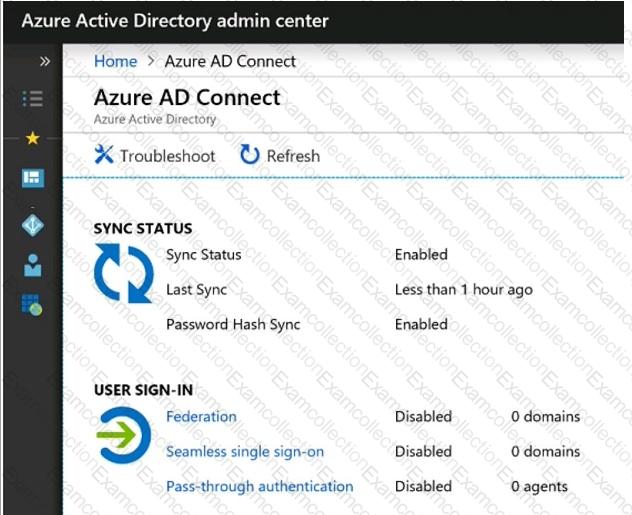
Use the drop-down menus to select the answer choice that completes each statement based on the information presented in the graphic.
NOTE: Each correct selection is worth one point.
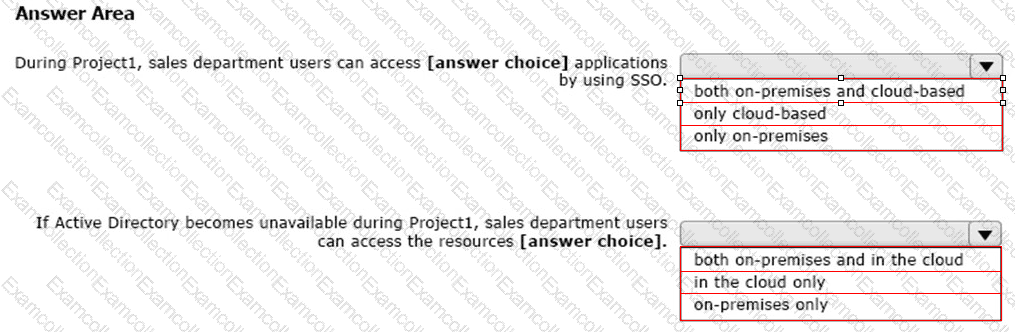
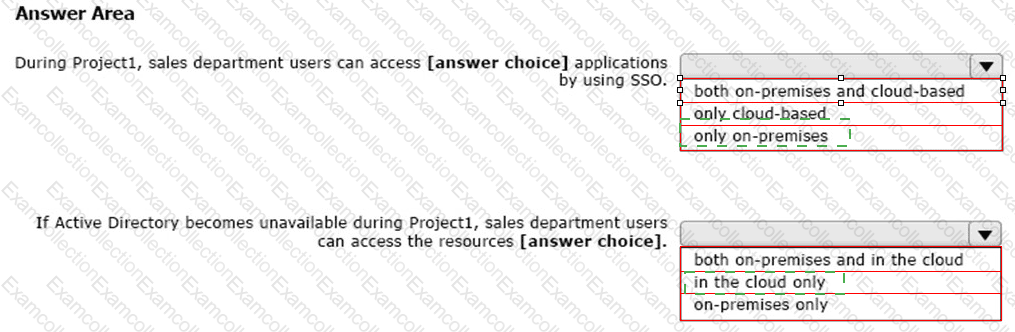
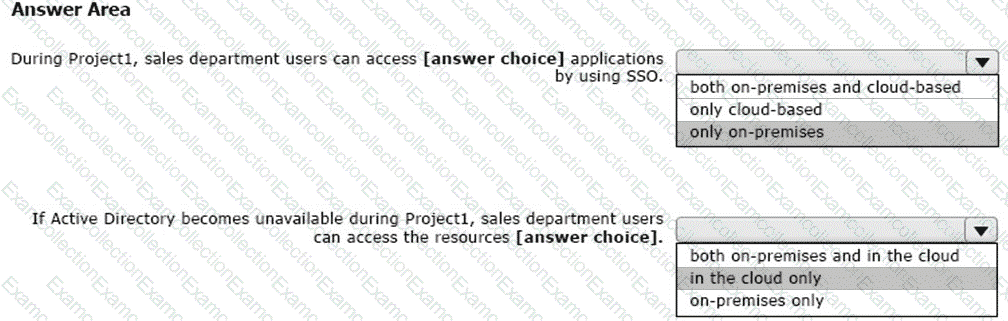
Your network contains an Active Directory forest named Contoso. Local.
You have a Microsoft 365 subscription.
You plan to implement a directory synchronization solution that will use password hash synchronization.
From the Microsoft 365 admin center, you successfully verify the contoso.com domain name.
You need to prepare the environment for the planned directory synchronization solution.
What should you do first?
You have a Microsoft 365 E5 tenant.
You configure sensitivity labels.
Users report that the Sensitivity button is unavailability in Microsoft Word for the web. The sensitivity button is available in Word for Microsoft 365.
You need to ensure that the users can apply the sensitivity labels when they use Word for the web.
What should you do?
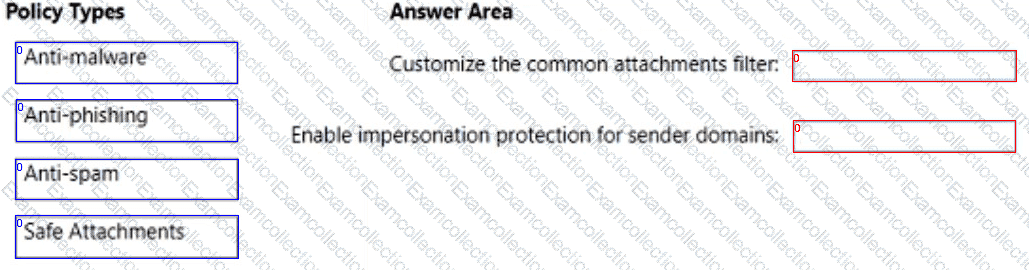
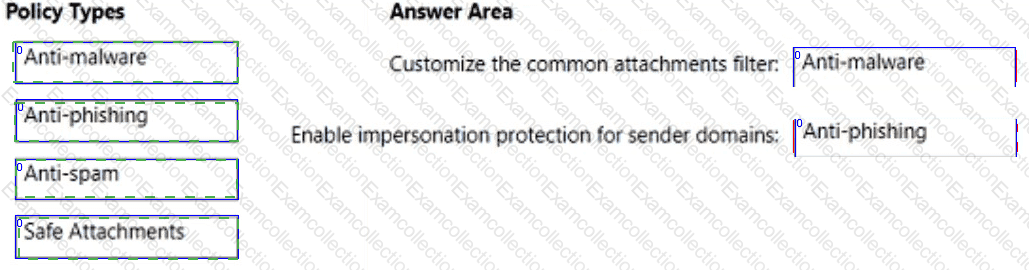
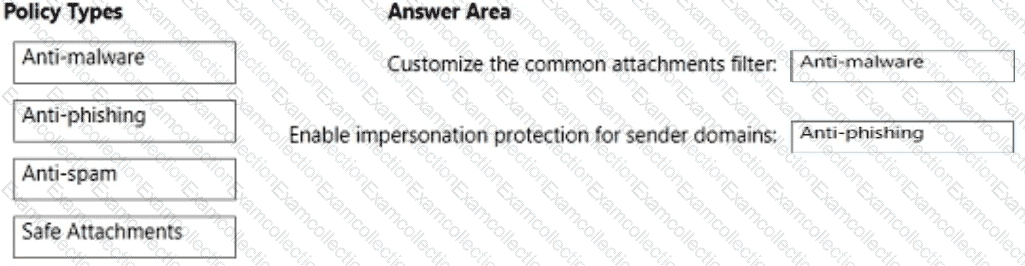
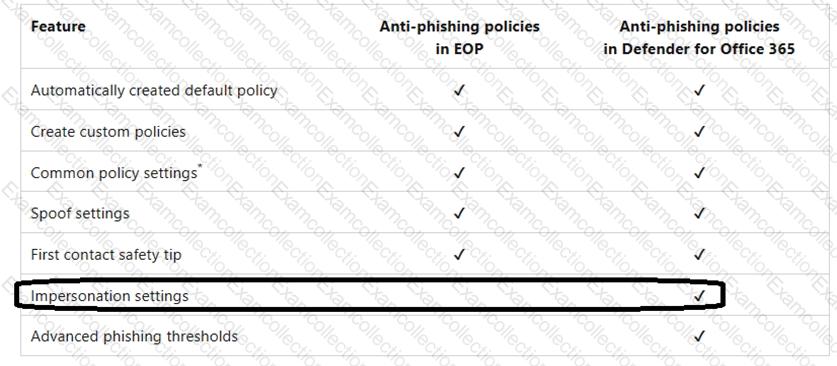
You have a Microsoft 365 subscription that uses Microsoft Defender for Office 365.
You need to configure policies to meet the following requirements:
Customize the common attachments filter.
Enable impersonation protection for sender domains.
Which type of policy should you configure for each requirement? To answer, drag the appropriate policy types to the correct requirements. Each policy type may be used once, more than once, or not at all. You may need to drag the split bar between panes or scroll to view content.
NOTE: Each correct selection is worth one point.
You have a Microsoft 365 E5 subscription. The subscription contains users that have the following types of devices:
• Windows 10
• Android
• iOS
On which devices can you configure the Endpoint DLP policies?
You have a Microsoft 365 subscription that contains the users shown in the following table.
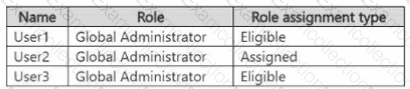
The Global Administrator role has the Privileged Identity Management < PIM) settings shown in the following table.
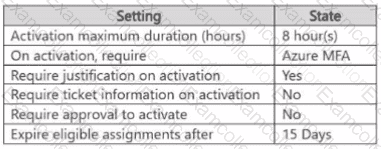
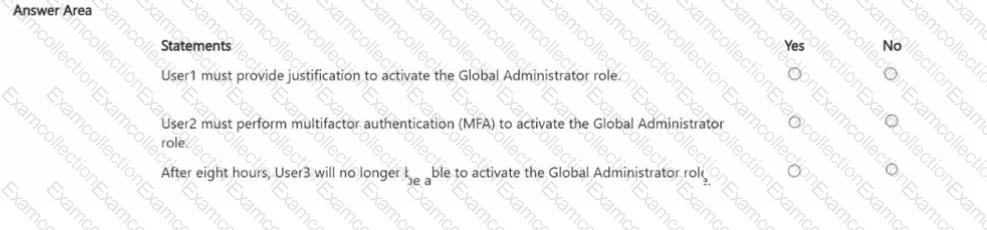
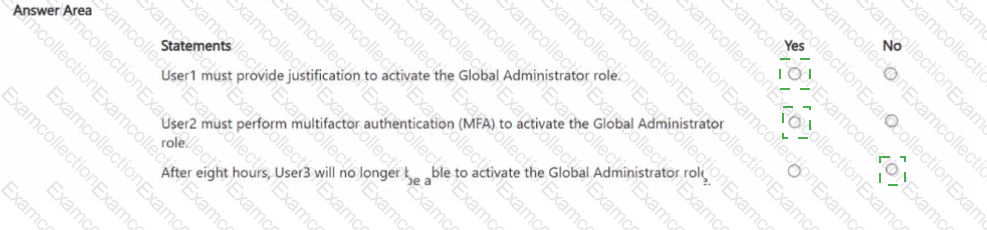
For each of the following statements, select Yes if the statement is true. Otherwise, select No.
NOTE Each correct selection is worth one point.
You have a Microsoft 365 E5 subscription.
From the Microsoft Defender XDR portal, you plan to export a detailed report of compromised users.
What is the longest time range that can be included in the report?
Note: This section contains one or more sets of questions with the same scenario and problem. Each question presents a unique solution to the problem. You must determine whether the solution meets the stated goals. More than one solution in the set might solve the problem. It is also possible that none of the solutions in the set solve the problem.
After you answer a question in this section, you will NOT be able to return. As a result, these questions do not appear on the Review Screen.
You have a Microsoft 365 E5 subscription and use Microsoft Defender for Office 365.
You need to implement a threat policy that will apply a balanced baseline protection profile to protect against spam, phishing, and malware.
Solution: You create a Standard preset security policy.
Does this meet the goal?
