


Pegasystems PEGACPRSA22V1 - Certified Pega Robotics System Architect 22
While interrogating a web application, you come across a hidden menu item: AddressType. The AddressType menu item activates when the pointer hovers over the control; the menu displays a drop-down list.
How do you interrogate this hidden drop-down list control?
Pega Robotic Coding Standards suggest organization of project components. You have added the _GC_CRM project item to the CRMPrj.
Which three components are recommended to be placed in the _GC_CRM project item? (Choose three.)
You are automating the login process for a web application. There are three possible scenarios that may occur: (1) You may successfully login, (2) you may not be successful logging in, or (3) you may log in but go to the change password screen.
Which control from the Toolbox do you use to determine which page you were on after performing the login function?
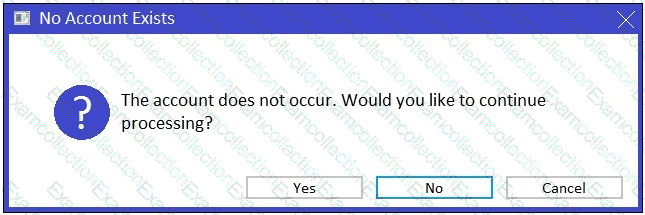
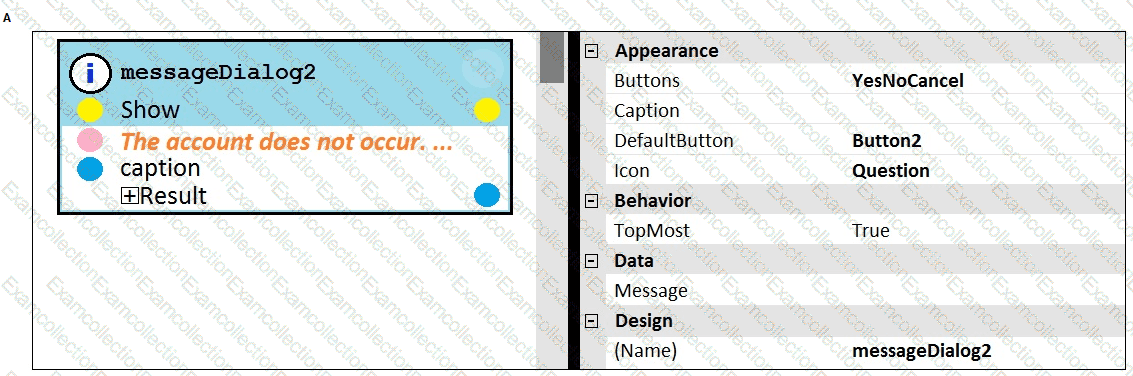
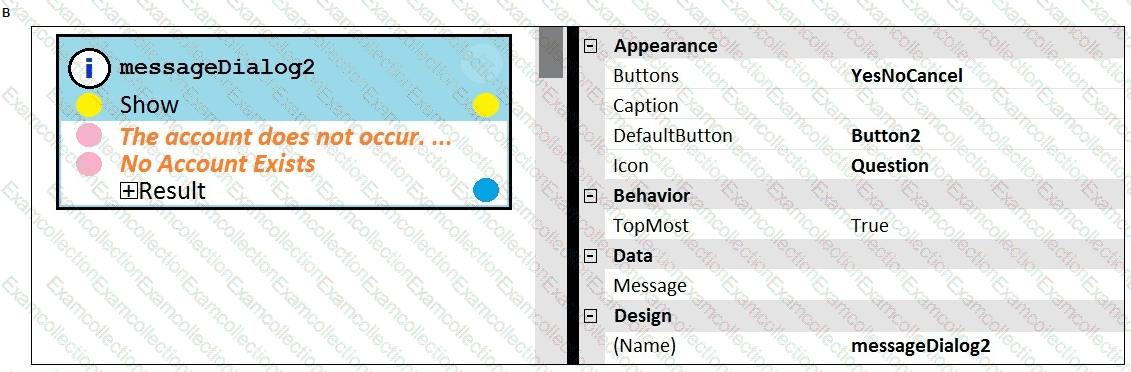
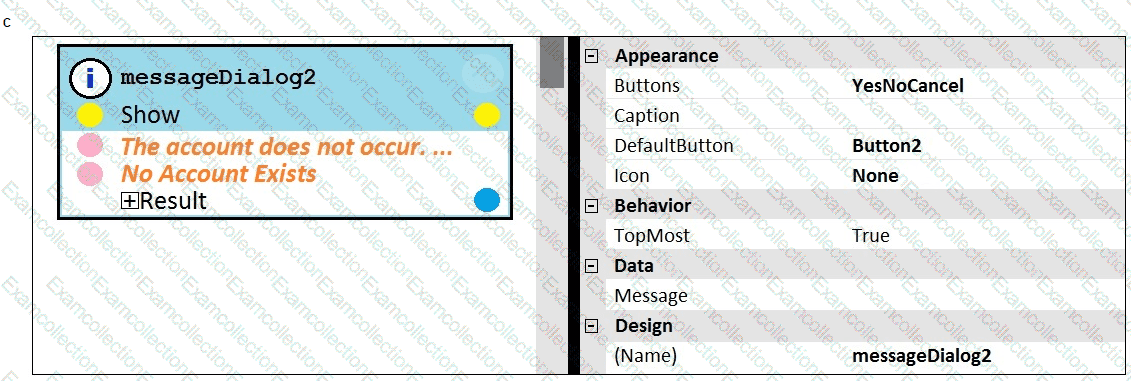
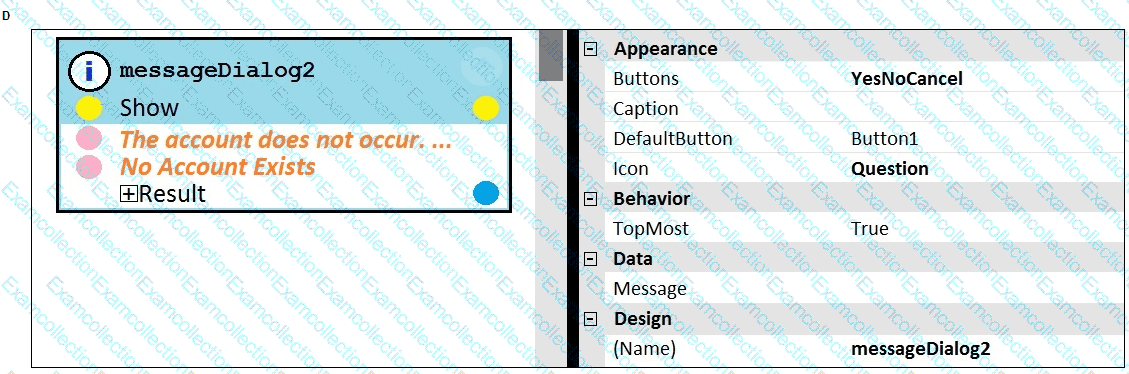
You add a MessageDialog component to an automation. Based on the following image, which option shows the configuration settings that generates the message dialog?
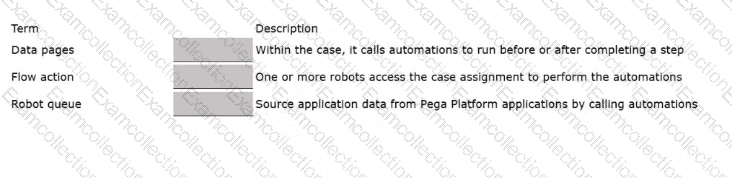
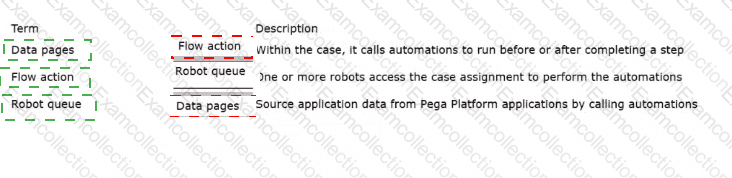
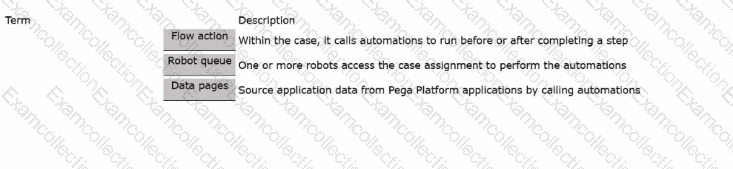
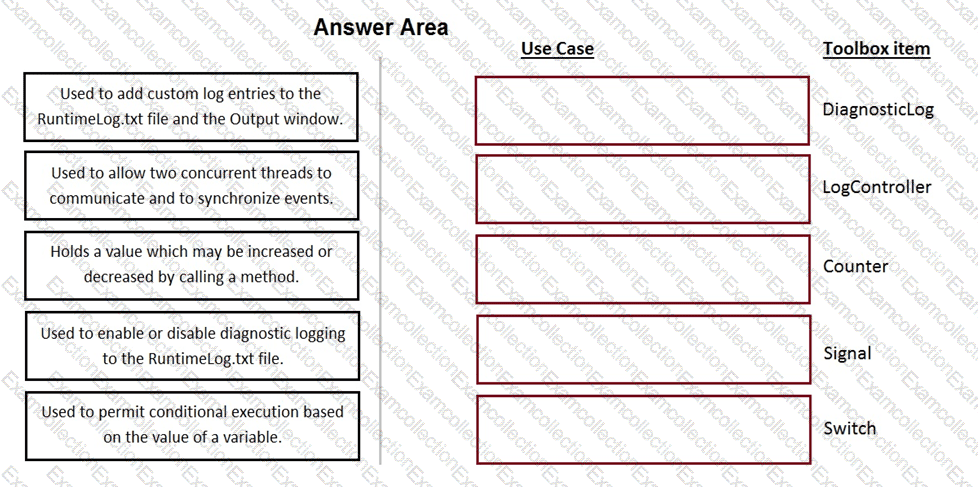
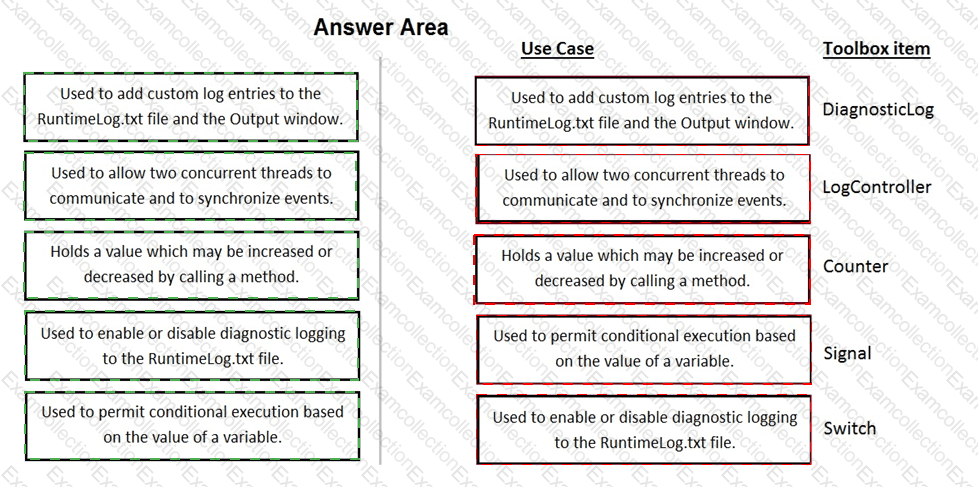
Match the term on the left with its description on the right.
When evaluating business requirements and reviewing each application in a project, before you interrogate the application, what three actions do you perform during application discovery? (Choose Three)
While setting up Start My Day, the user makes some changes in the Manage Applications window to prioritize and manage the applications that are configured to launch using the Start My Day functionality.
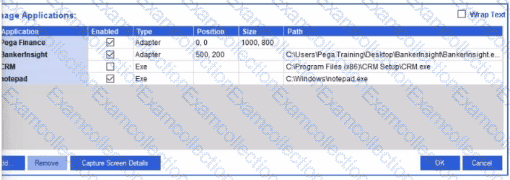
Which of the following applications does the user see on the desktop after using the Start My Day functionality?
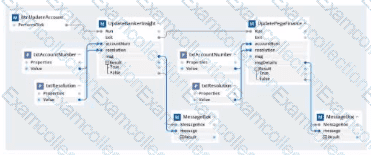
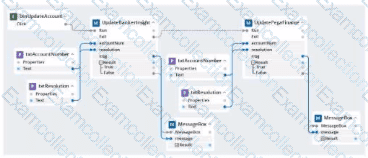
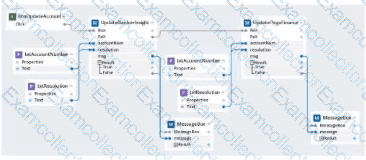
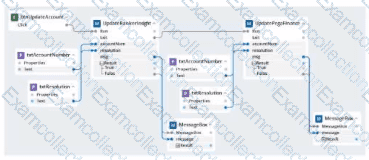
our project for a customer service department contains a Windows form with a btnUpdateAccount button. Users click btnUpdateAccount to automate the updates of other customer account systems at the end of the call. You create the UpdateAccount automation to ensure that the Windows form is still accessible after clicking the button.
Which option represents the UpdateAccount automation with this requirement?
A)
B)
C)
D)
In the Answer Area, drag each use case on the left to the correct Toolbox item.
Your Pega Robot Manager indicates that one of your robots has an unhealthy status and has failed several assignments.
What is the first step in troubleshooting an unhealthy robot?
