New Year Sale Special Limited Time 70% Discount Offer - Ends in 0d 00h 00m 00s - Coupon code: xmas50

Fortinet FCSS_LED_AR-7.6 - Fortinet NSE 6 - LAN Edge 7.6 Architect

Page: 1 / 2
Total 40 questions

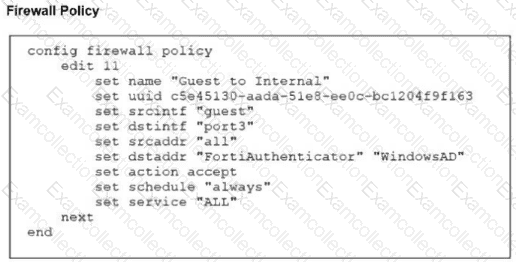
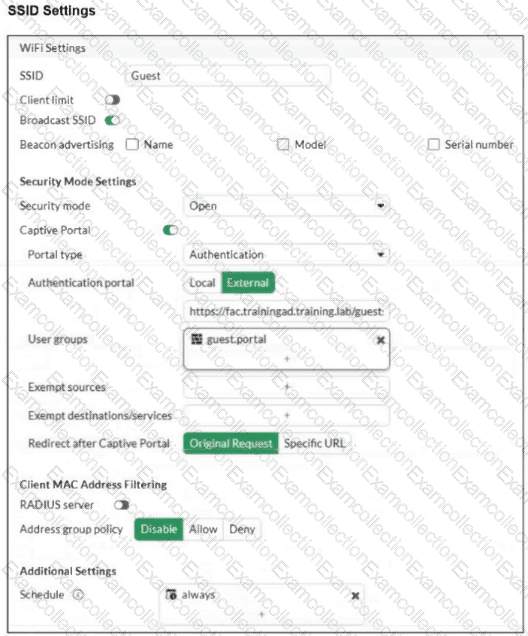
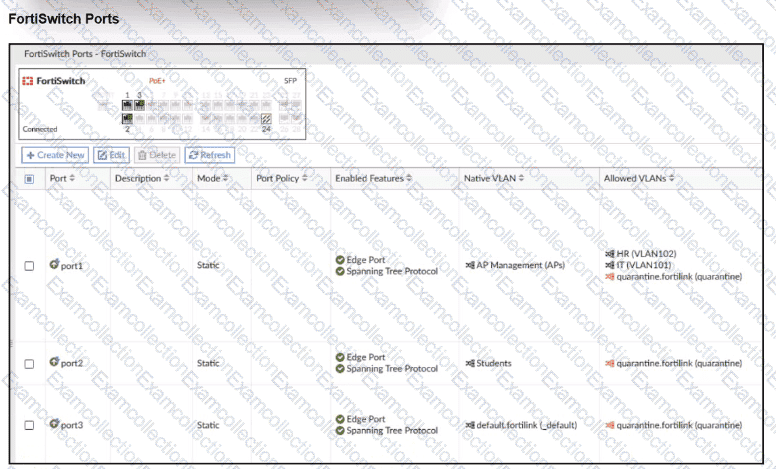
Refer to the exhibits.

An LDAP server has been successfully configured on FortiGate. which forwards LDAP authentication requests to a Windows Active Directory (AD) server. Wireless users report that they are unable to authenticate. Upon troubleshooting, you find that authentication fails when using MSCHAPv2.

What is the most likely reason for this issue?

A.

A firewall policy is missing an LDAP authentication rule.

B.

The Windows AD server requires LDAPS (LDAP over SSL) for authentication.

C.

The FortiGate LDAP configuration is missing the correct Bind DN.

D.

FortiGate does not support MSCHAPv2 for LDAP authentication.

What is the primary function of FortiLink NAC in a LAN environment?

A.

To extend security policies across FortiGate firewalls only

B.

To automate device onboarding and verify security posture

C.

To manage FortiSwitch devices and apply manual firewall rules

D.

To ensure devices are manually placed in VLANs based on their user roles

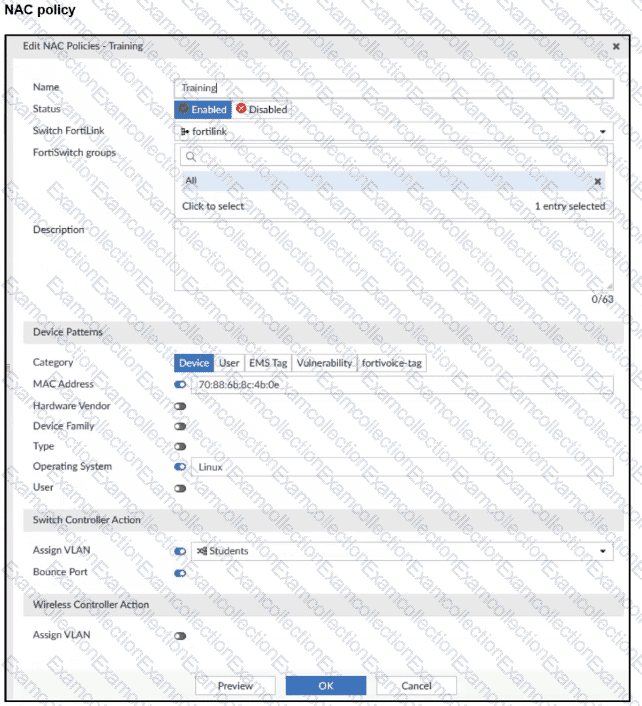
Refer to the exhibits.

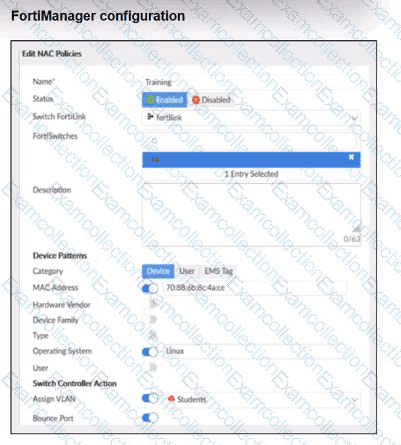
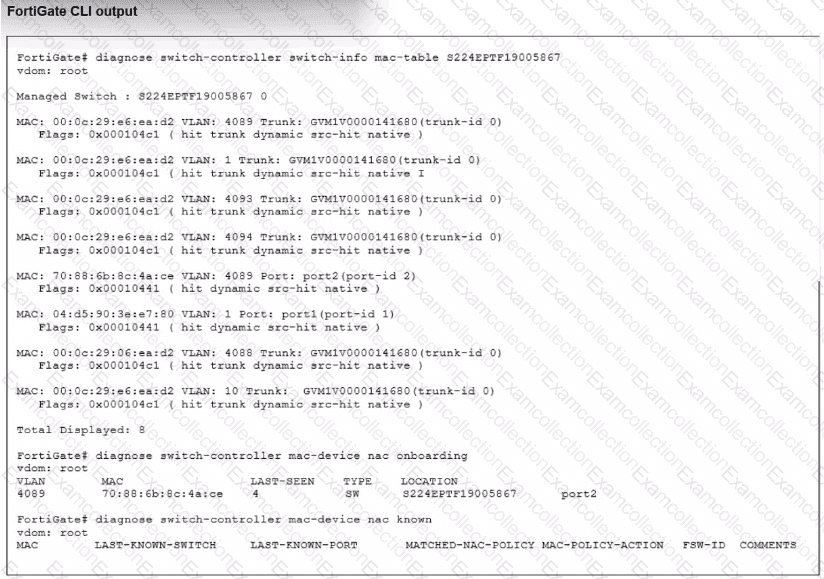
Examine the FortiManager configuration and FortiGate CLI output shown in the exhibit.

The NAC feature is being tested with a device connected to port2 on managed FortiSwitch S224SPTF19005867. The NAC policy has been applied to port2, and traffic was generated from the test device. However, the traffic from the test device does not match the NAC policy and remains in the onboarding VLAN.

What are two possible reasons why the test device is not being correctly classified by the NAC policy? (Choose two.)

A.

Device detection is not enabled on VLAN 4089.

B.

The device operating system detected by FortiGate is not Linux.

C.

Management communication between FortiGate and FortiSwitch is down.

D.

The MAC address configured on the NAC policy is incorrect.

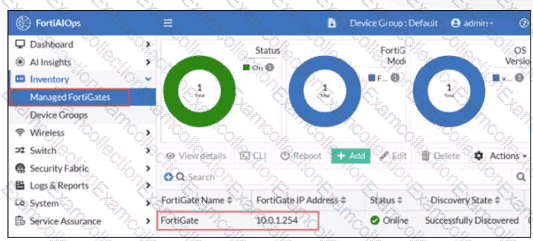
A network administrator connects a new FortiGate to the network, allowing it to automatically discover andI register with FortiManager.

What occurs after FortiGate retrieves the FortiManager address?

A.

FortiGate establishes a secure tunnel to FortiManager over TCP port 541.

B.

The device needs to be manually authorized on FortiManager.

C.

FortiGate configures its interface settings based on a DHCP response from FortiManager.

D.

FortiGate sends a discovery request to all devices on the local network using UDP port 1068.

You are setting up a captive portal to provide Wi-Fi access for visitors. To simplify the process, your team wants visitors to authenticate using their existing social media accounts instead of creating new accounts or entering credentials manually.

Which two actions are required to enable this functionality? (Choose two.)

A.

Set up a remote open authorization (OAuth) server for each selected social media platform.

B.

Configure only the email login option because a social media login cannot be used with captive portals.

C.

Enable Account Login as the authentication type and configure a remote LDAP server.

D.

Set up the FortiAuthenticator internal database as the primary source for user credentials

E.

Configure the social login profiles for the supported platforms.

Refer to the exhibits.

A set of SSID profiles has been configured on FortiManager, and an AP profile has been assigned to a group of AP managed by FortiGate. However, none of the designated SSIDs are being broadcast by these APs.

Which configuration change is required to make the APs broadcast these SSIDs as intended?

A.

Adjust the AP profile to ensure all SSIDs are configured in a supported mode, either bridge or tunnel, but not a mix of both.

B.

Change the AP profile to use a platform that supports the configured mix of SSIDs.

C.

Choose Manual in the SSIDs setting and select the SSIDs to broadcast.

D.

Set the Transmit Power Mode to Auto.

Refer to the exhibits.

You are adding a new FortiSwitch to FortiGate for management. All necessary settings have been configured on FortiGate, but FortiSwitch remains offline. The cabling has been verified and is correctly connected.

Which misconfiguration might be preventing FortiGate from detecting FortiSwitch?

A.

The Fortilink interface setting ip-managed-by-fortiipam must be enabled.

B.

The Fortilink interface has the wrong interface member.

C.

The Fortilink interface setting cype must be physical.

D.

The DHCP server setting vci-string is misconfigured.

Connectivity tests are being performed on a newly configured VLAN. The VLAN is configured on a FortiSwitch device that is managed by FortiGate. During testing, it is observed that devices

within the VLAN can successfully ping FortiGate. and FortiGate can also ping these devices.

Inter-VLAN communication is working as expected. However, devices within the same VLAN are unable to communicate with each other.

What could be causing this issue?

A.

Access VLAN is enabled on the VLAN.

B.

The FortiSwitch MAC address table is missing entries.

C.

The FortiGate ARP table is missing entries.

D.

The native VLAN configured on the ports is incorrect.

A network engineer is deploying FortiGate devices using zero-touch provisioning (ZTP). The devices must automatically connect to FortiManager and receive their configurations upon first boot. However, after powering on the devices, they fail to register with FortiManager.

What could be a possible cause of this issue?

A.

The FortiGate device requires manual intervention to accept the FortiManager connection.

B.

In this scenario, the ZTP process works only when devices are connected using a console cable.

C.

The FortiGate device must be preloaded with a configuration file before ZTP can function.

D.

The FortiManager IP address is not reachable over TCP port 541.

Refer to the exhibit.

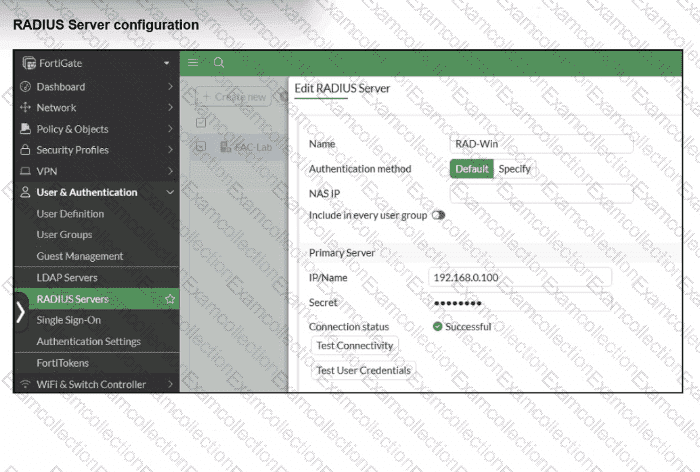
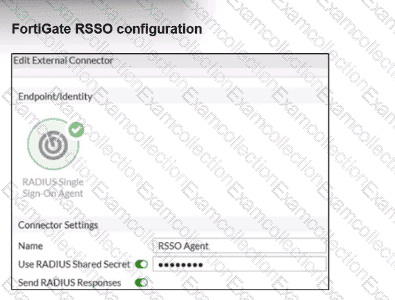
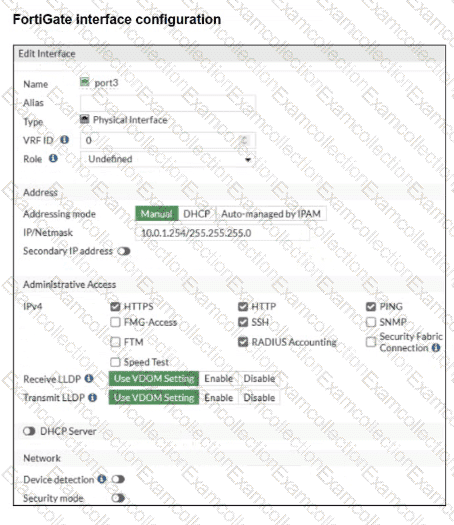
A RADIUS server has been successfully configured on FortiGate, which sends RADIUS authentication requests to FortiAuthenticator. FortiAuthenticator, in turn, relays the authentication using LDAP to a Windows Active Directory server.

It was reported that wireless users are unable to authenticate successfully.

The FortiGate configuration confirms that it can connect to the RADIUS server without issues.

While testing authentication on FortiGate using the command diagnose test authserver radius, it was observed that authentication succeeds with PAP but fails with MSCHAPv2.

Additionally, the Remote LDAP Server configuration on FortiAuthenticator was reviewed.

Which configuration change might resolve this issue?

A.

Change the RADIUS authentication protocol to CHAP

B.

Enable Windows Active Directory Domain Authentication.

C.

Manually add user credentials to the FortiAuthenticator local database

D.

Use RADIUS attributes under the FortiGate configuration.