

Microsoft MD-102 - Managing and Securing Microsoft 365 Endpoints by using Intune
-
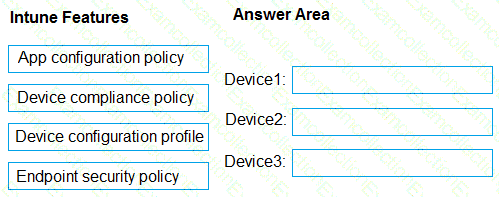
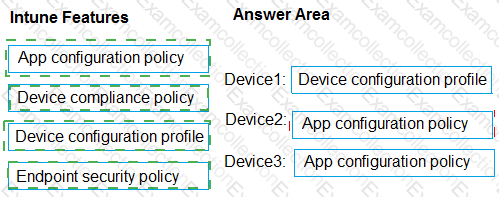
You have a Microsoft 365 subscription that contains the devices shown in the following table.
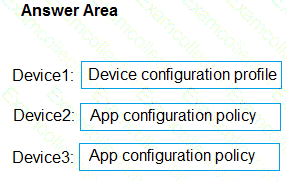
You need to configure the Microsoft Edge settings for each device.
What should you use? To answer, drag the appropriate Intune features to the correct devices. Each feature may be used once, more than once, or not at all. You may need to drag the split bar between panes or scroll to view content.
NOTE: Each correct selection is worth one point.
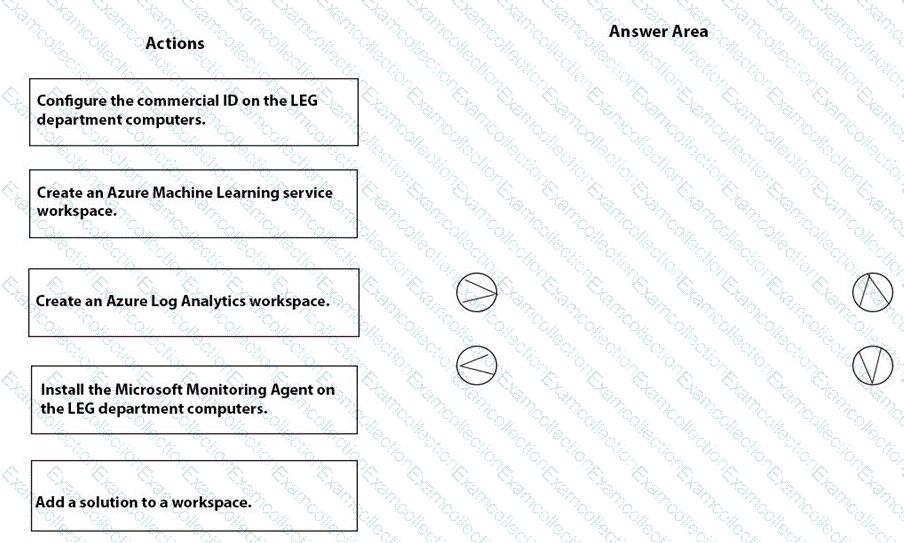
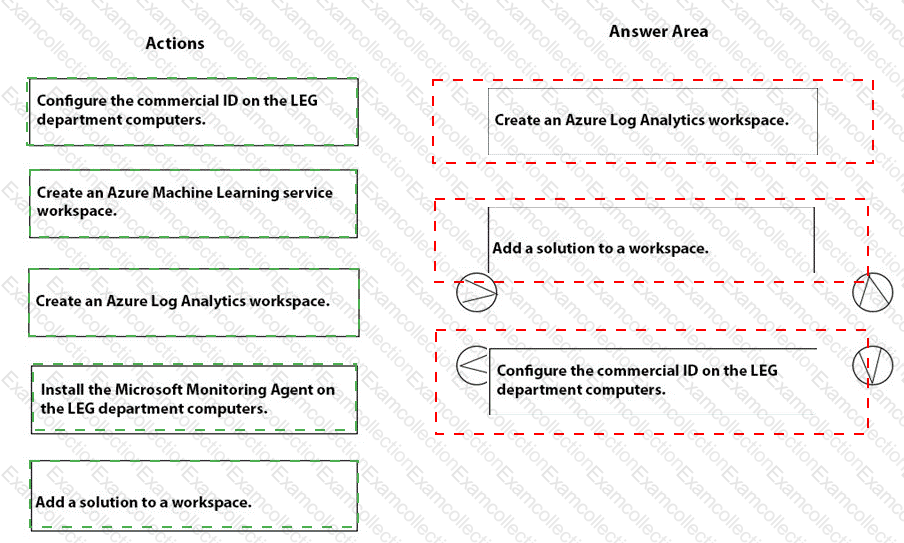
You need to meet the technical requirements for the LEG department computers.
Which three actions should you perform in sequence? To answer, move the appropriate actions from the list of actions to the answer area and arrange them in the correct order.
You need to prepare for the deployment of the Phoenix office computers.
What should you do first?
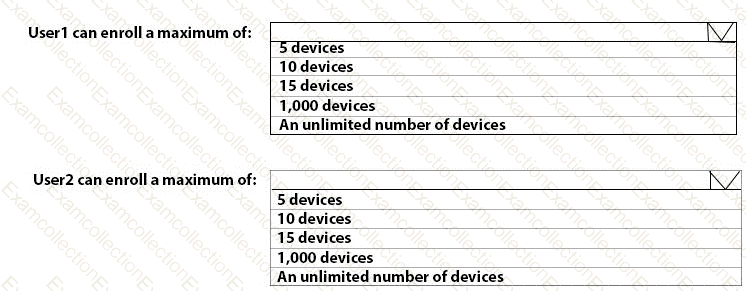
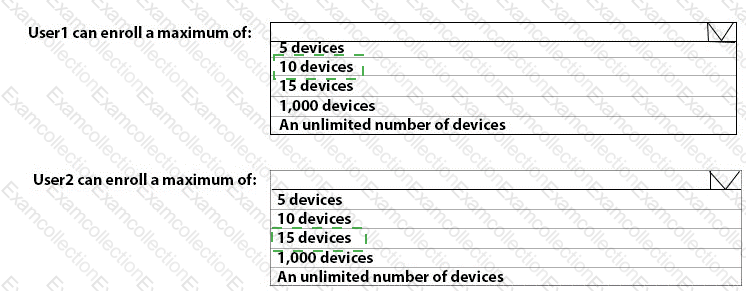
What is the maximum number of devices that User1 and User2 can enroll in Intune? To answer, select the appropriate options in the answer area.
NOTE: Each correct selection is worth one point.
You need to prepare for the deployment of the Phoenix office computers.
What should you do first?
You need to meet the technical requirements for the IT department.
What should you do first?
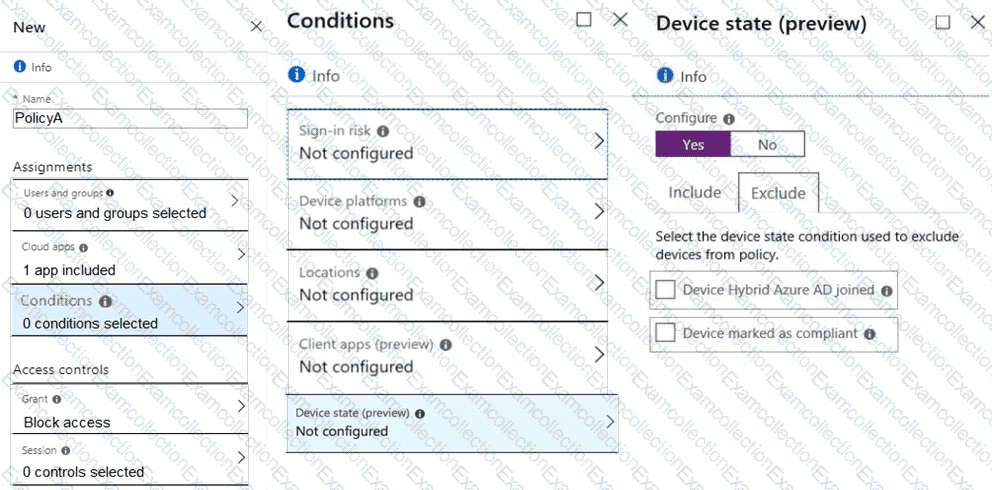
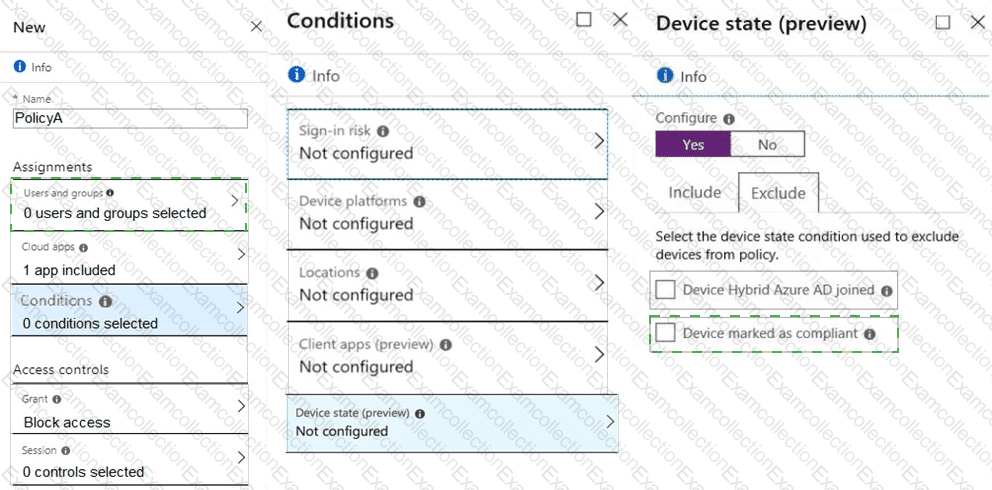
You need a new conditional access policy that has an assignment for Office 365 Exchange Online.
You need to configure the policy to meet the technical requirements for Group4.
Which two settings should you configure in the policy? To answer, select the appropriate settings in the answer area.
NOTE: Each correct selection is worth one point.
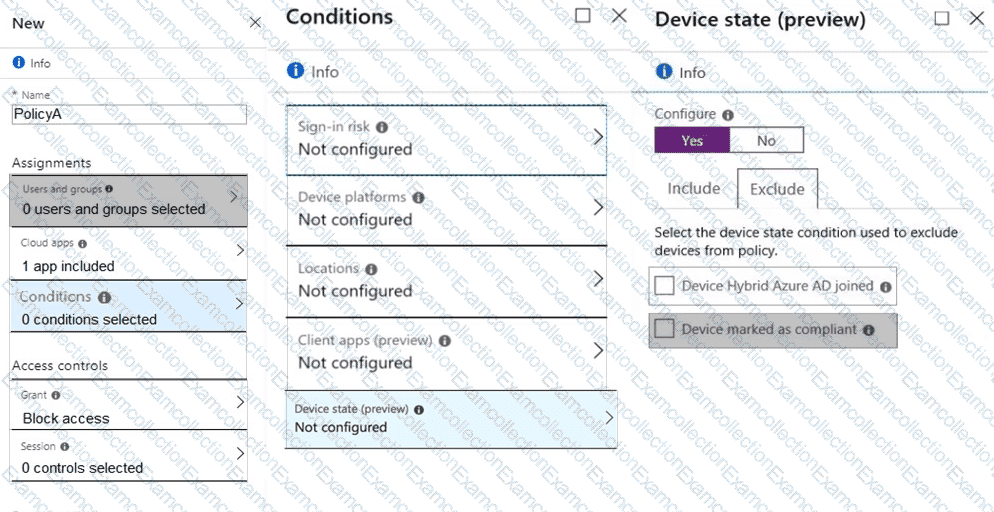
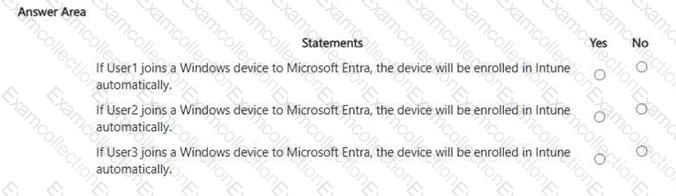
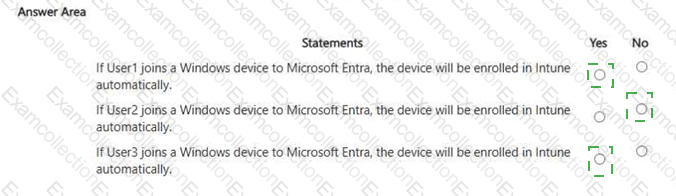
For each of the following statements, select Yes if the statement is true. Otherwise, select No. NOTE: Each correct selection is worth one point.
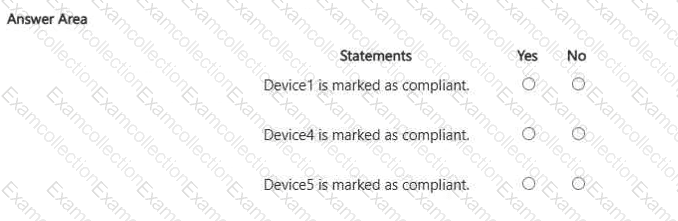
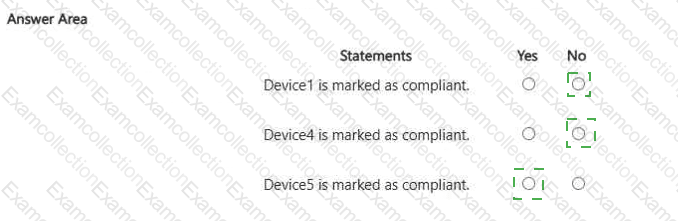
For each of the following statements, select Yes if the statement is true. Otherwise, select No. NOTE: Each correct selection is worth one point
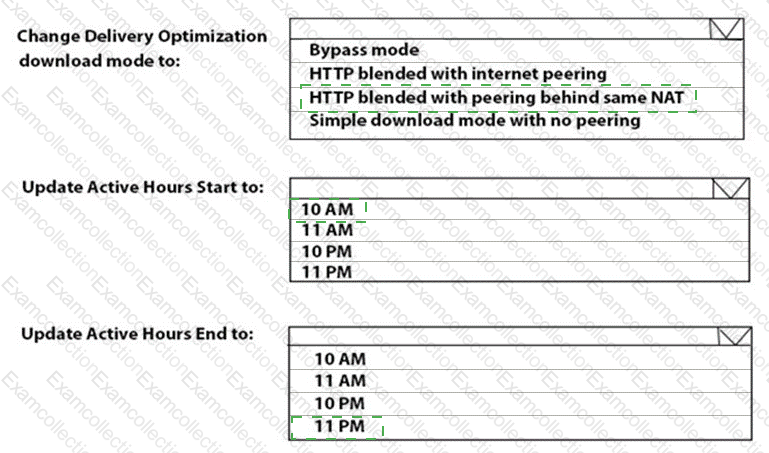
You need to resolve the performance issues in the Los Angeles office.
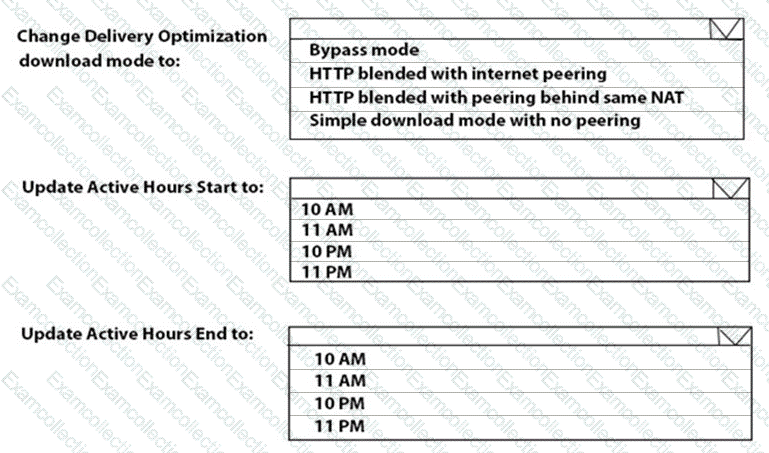
How should you configure the update settings? To answer, select the appropriate options in the answer area.
NOTE: Each correct selection is worth one point.