Winter Sale Limited Time 65% Discount Offer - Ends in 0d 00h 00m 00s - Coupon code: ecus65

Microsoft MD-102 - Endpoint Administrator

Page: 4 / 6
Total 350 questions

-

You have a Microsoft 365 subscription that contains devices enrolled in Microsoft Intune.

You need to create Endpoint security policies to enforce the following requirements:

• Computers that run macOS must have FileVault enabled.

• Computers that run Windows 10 must have Microsoft Defender Credential Guard enabled.

• Computers that run Windows 10 must have Microsoft Defender Application Control enabled.

Which Endpoint security feature should you use for each requirement? To answer, drag the appropriate features to the correct requirements. Each feature may be used once, more than once, or not at all. You may need to drag the split bar between panes or scroll to view content.

You have a Microsoft 365 subscription that uses Microsoft Intune Suite.

You use Microsoft Intune to manage devices.

You use Windows Autopilot to deploy Windows 11 to devices.

A support engineer reports that when a deployment fails, they cannot collect deployment logs from failed device.

You need to ensure that when a deployment fails, the deployment logs can be collected.

What should you configure?

A.

the automatic enrollment settings

B.

the Windows Autopilot deployment profile

C.

the enrollment status page (ESP) profile

D.

the device configuration profile

Your network contains an Active Directory domain named contoso.com. The domain contains two computers named Computer! and Computer2 that run Windows 10. On Computer1, you need to run the Invoke-Command cmdlet to execute several PowerShell commands on Computed. What should you do first?

A.

On Computed, run the Enable-PSRemoting cmdlet.

B.

On Computed, add Computer! to the Remote Management Users group.

C.

From Active Directory, configure the Trusted for Delegation setting for the computer account of Computed.

D.

On Computer1, run the HcK-PSSession cmdlet.

-

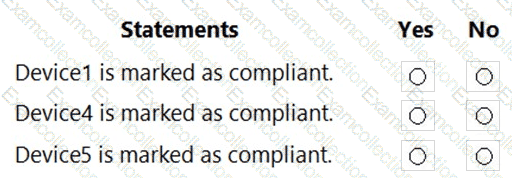
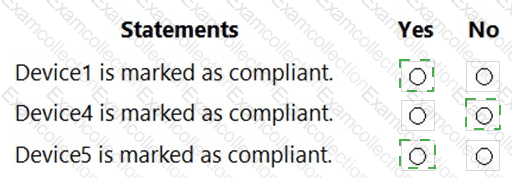
You have a Microsoft 365 subscription. The subscription contains 1,000 computers that run Windows 11 and are enrolled in Microsoft Intune.

You plan to create a compliance policy that has the following options enabled:

• Require Secure Boot to be enabled on the device.

• Require the device to be at or under the machine risk score.

Which two Compliance settings should you configure? To answer, select the appropriate settings in the answer area.

NOTE: Each correct selection is worth one point.
You have a Microsoft 365 subscription that contains 1,000 iOS devices. The devices are enrolled in Microsoft Intune as follows:

• Two hundred devices are enrolled by using the Intune Company Portal.

• Eight hundred devices are enrolled by using Apple Automated Device Enrollment (ADE).

You create an iOS/iPadOS software updates policy named Policy 1 that is configured to install iOS/iPadOS 15.5.

How many iOS devices will Policy1 update, and what should you configure to ensure that only iOS/iPadOS 15.5 is installed? To answer, select the appropriate options in the answer area.

NOTE: Each correct selection is worth one point.
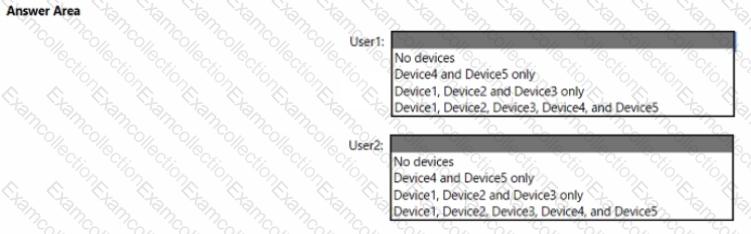
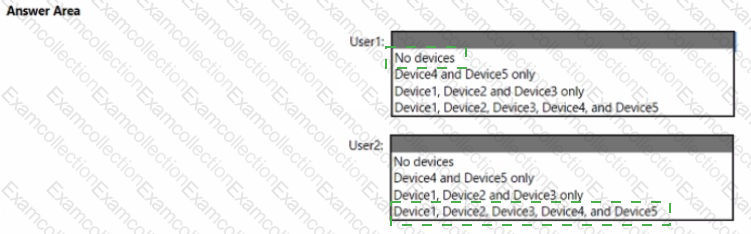
You have a Microsoft 365 subscription that contains the devices shown in the following table.

You need to ensure that only devices running trusted firmware or operating system build can access network resources.

Which compliance policy setting should you configure for each device? To answer, drag the appropriate settings to the correct devices. Each setting may be used once, more than once, or not at all. You may need to drag the split bar between panes or scroll to view content.

NOTE: Each correct selection is worth one point.
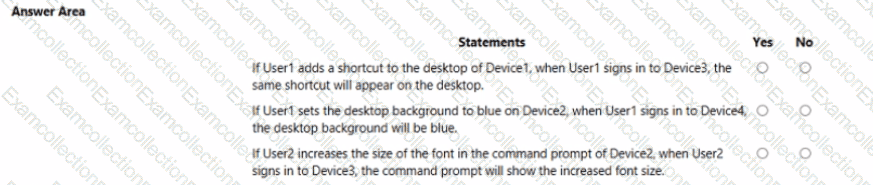
You have a Microsoft Entra tenant.

You are creating a dynamic device group named Group1.

Group1 will include only Windows devices that are Microsoft Entra registered.

How should you configure the dynamic membership rule for Group1? To answer, select the appropriate options in the answer area.

NOTE: Each correct selection is worth one point.
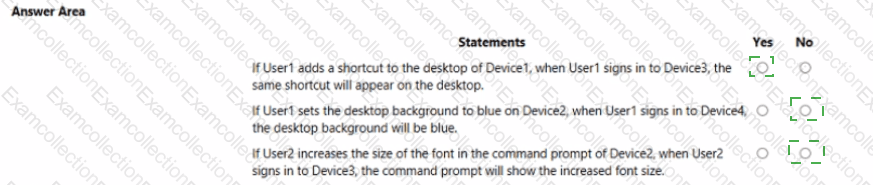
Your company has an Azure AD tenant named contoso.com that contains several Windows 10 devices.

When you join new Windows 10 devices to contoso.com, users are prompted to set up a four-digit pin.

You need to ensure that the users are prompted to set up a six-digit pin when they join the Windows 10 devices to contoso.com.

Solution: From the Microsoft Entra admin center, you modify the User settings and the Device settings.

Does this meet the goal?

A.

Yes

B.

No

You have a Microsoft 365 tenant that contains the devices shown in the following table.

The devices are managed by using Microsoft Intune.

You create a compliance policy named Policy1 and assign Policy1 to Group1. Policy1 is configured to mark a device as Compliant only if the device security settings match the settings specified in the policy.

You discover that devices that are not members of Group1 are shown as Compliant.

You need to ensure that only devices that are assigned a compliance policy can be shown as Compliant. All other devices must be shown as Not compliant.

What should you do from the Microsoft Intune admin center?

A.

From Device compliance, configure the Compliance policy settings.

B.

From Endpoint security, configure the Conditional access settings.

C.

From Tenant administration, modify the Diagnostic settings.

D.

From Policy1, modify the actions for noncompliance.

You have a Microsoft 365 E5 subscription.

All devices are enrolled in Microsoft Intune.

You need to ensure that devices that have NOT checked in for 30 days are deleted from intune.

What should you configure from the Microsoft Intune admin center?

A.

a device limit restriction

B.

automatic enrollment

C.

a device clean-up rule

D.

a configuration profile