Microsoft MS-102 - Microsoft 365 Administrator Exam
Your company uses Microsoft Defender for Endpoint. Microsoft Defender for Endpoint contains the device groups shown in the following table.
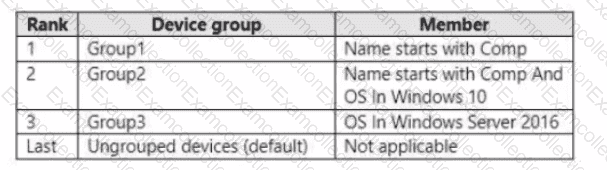
You onboard computers to Microsoft Defender for Endpoint as shown in the following table.
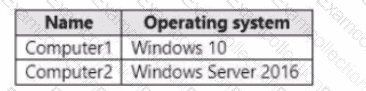
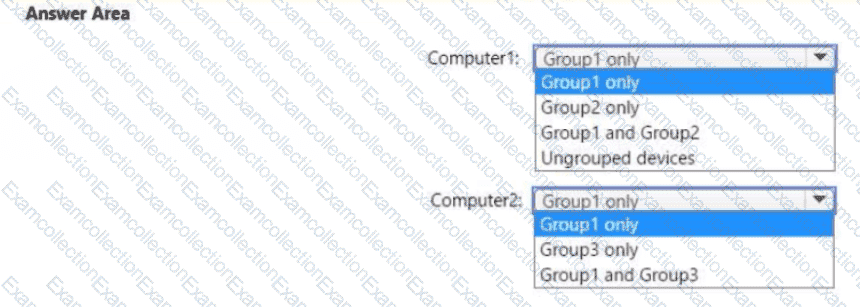
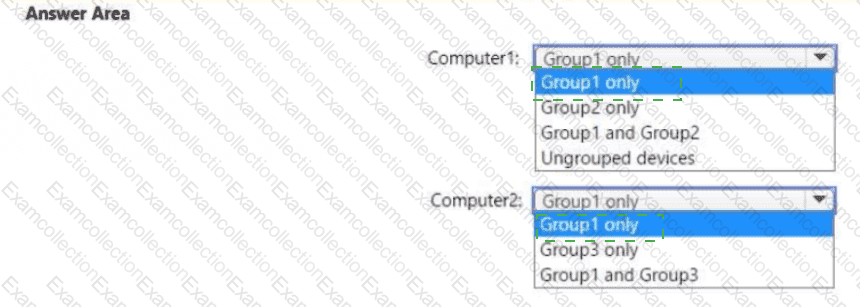
Of which groups are Computer! and Computed members? To answer, select the appropriate options in The answer area.
NOTE: Each correct selection is worth one point.
You have a Microsoft 365 Enterprise E5 subscription.
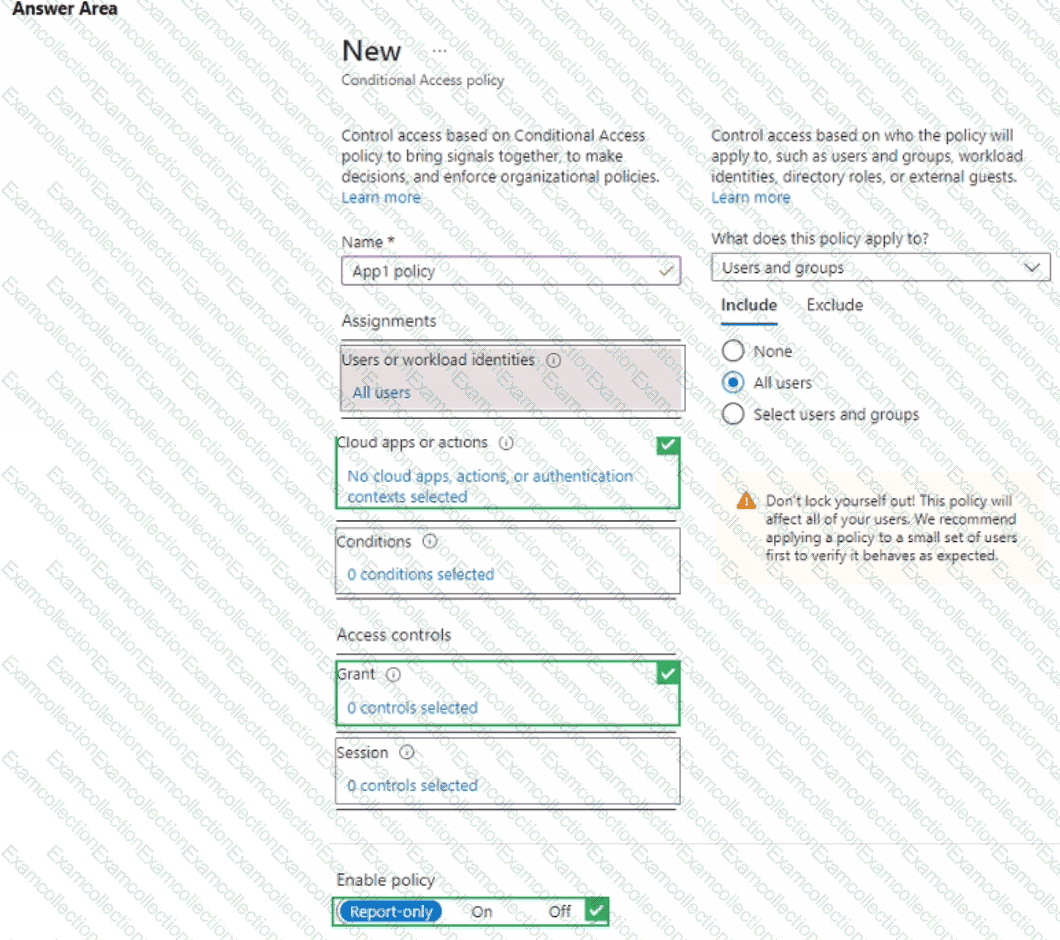
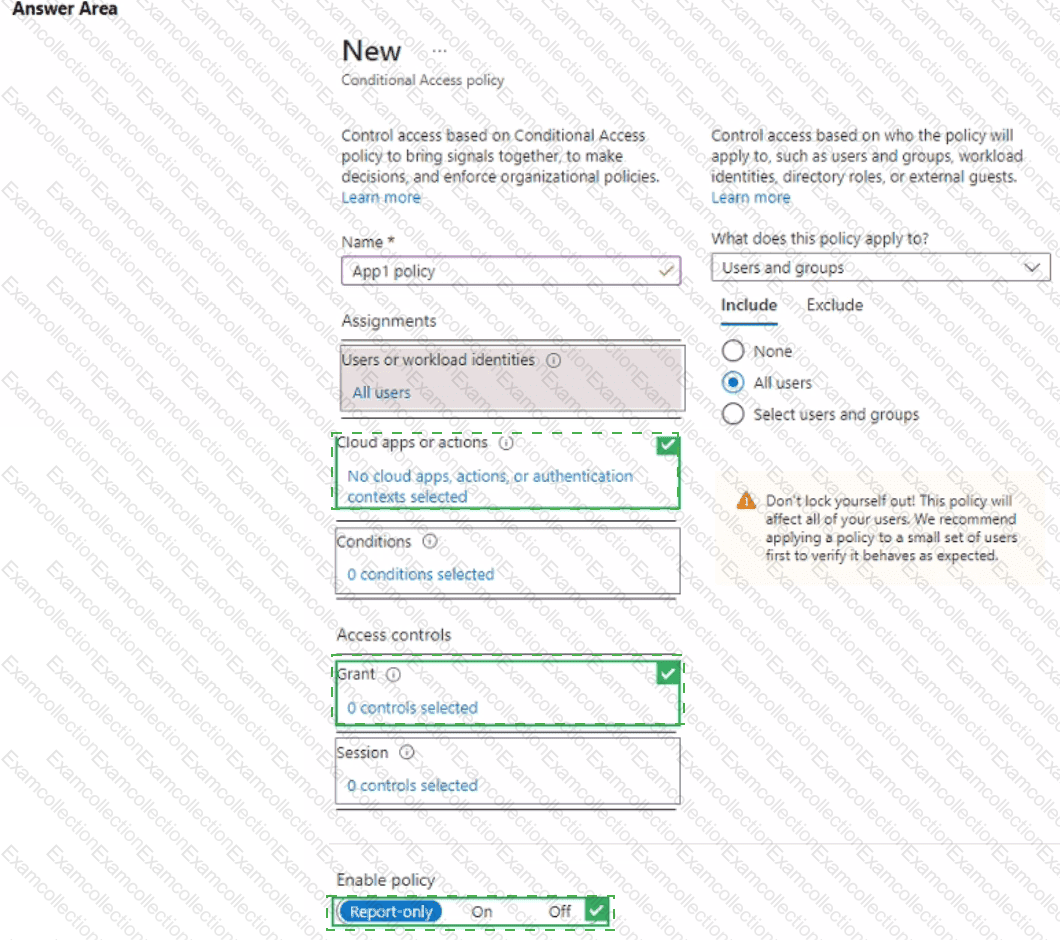
You add a cloud-based app named App1 to the Microsoft Entra ID enterprise applications list.
You need to ensure that two-step verification is enforced for all user accounts the next time they connect to App1.
Which three settings should you configure from the policy? To answer, select the appropriate settings in the answer area.
NOTE: Each correct selection is worth one point.
: 242
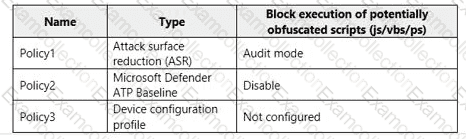
You have a Microsoft 365 tenant that contains a Windows 10 device named Device1 and the Microsoft Endpoint Manager policies shown in the following table.
You have an Microsoft Entra tenant that contains the users shown in the following table
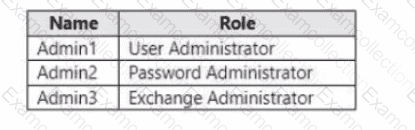
You need to compare the permissions of each role. The solution must minimize administrative effort.
Which portal should you use?
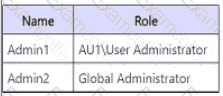
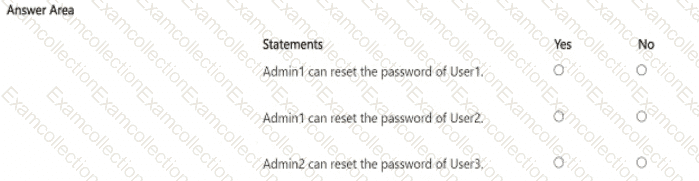
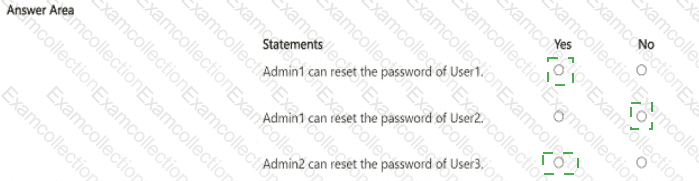
You have a Microsoft 365 subscription that contains the users shown in the following table.
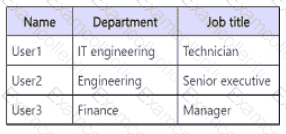
You create a new administrative unit named AU1 and configure the following AU1 dynamic membership rule.
The subscription contains the role assignments shown in the following table.
Your network contains an Active Directory domain named adatum.com that is synced to Microsoft Entra ID.
The domain contains 100 user accounts.
The city attribute for all the users is set to the city where the user resides.
You need to modify the value of the city attribute to the three-letter airport code of each city.
What should you do?
Your company has a Microsoft Entra tenant named contoso.com and a Microsoft 365 subscription. All users use Windows 10 devices to access Microsoft 365 apps. All the devices are in a workgroup.
You plan to implement passwordless sign-in to contoso.com.
You need to recommend changes to the infrastructure for the planned implementation. What should you include in the recommendation?
HOTSPOT
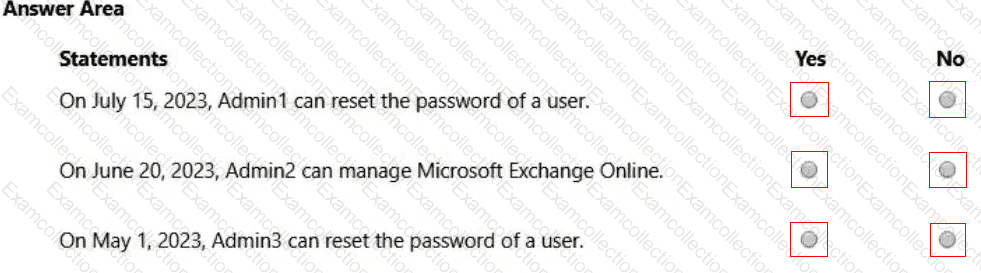
You have a Microsoft 365 E5 subscription that contains the users shown in the following table.
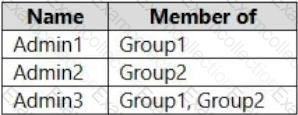
You add the following assignment for the User Administrator role:
Scope type: Directory
Selected members: Group1
Assignment type: Active
Assignment starts: Mar 15, 2023
Assignment ends: Aug 15, 2023
You add the following assignment for the Exchange Administrator role:
Scope type: Directory
Selected members: Group2
Assignment type: Eligible
Assignment starts: Jun 15, 2023
Assignment ends: Oct 15, 2023
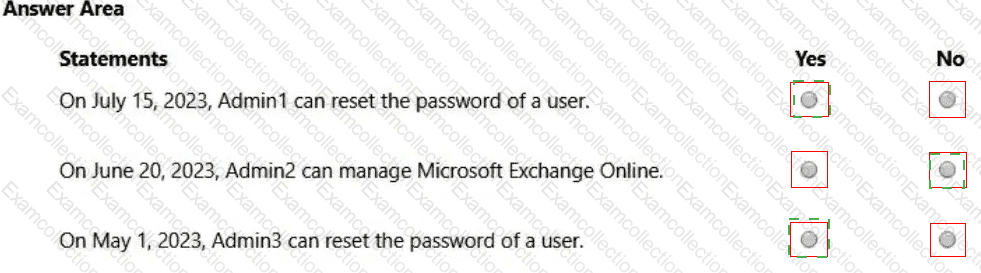
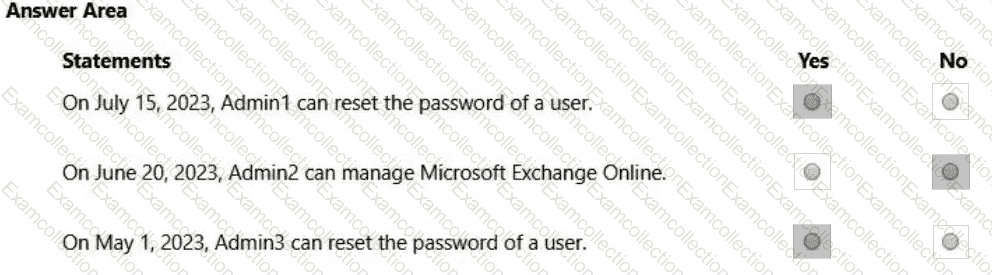
For each of the following statements, select Yes if the statement is true. Otherwise, select No.
NOTE: Each correct selection is worth one point.
You have a Microsoft 365 E5 subscription. You are implementing Microsoft Defender for Cloud Apps. You need to ensure that you can create OAuth app policies.
Solution: You add an API token to Defender for Cloud Apps.
Does this meet the goal?
HOTSPOT
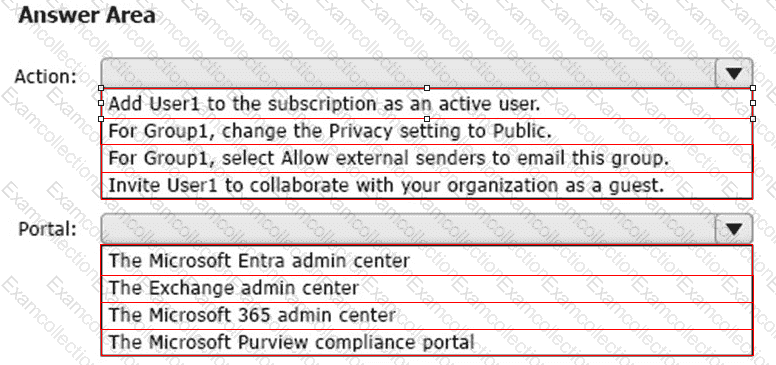
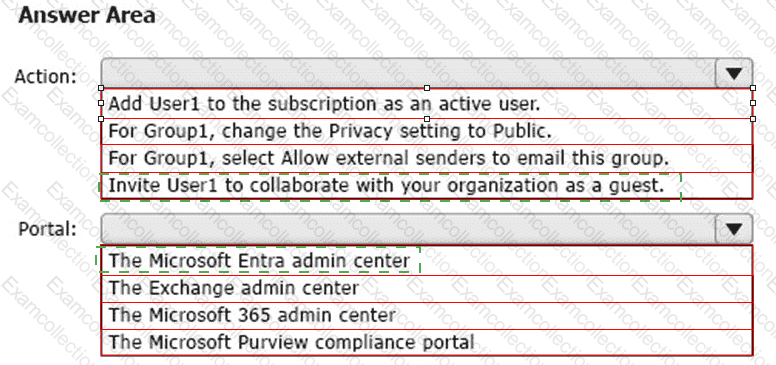
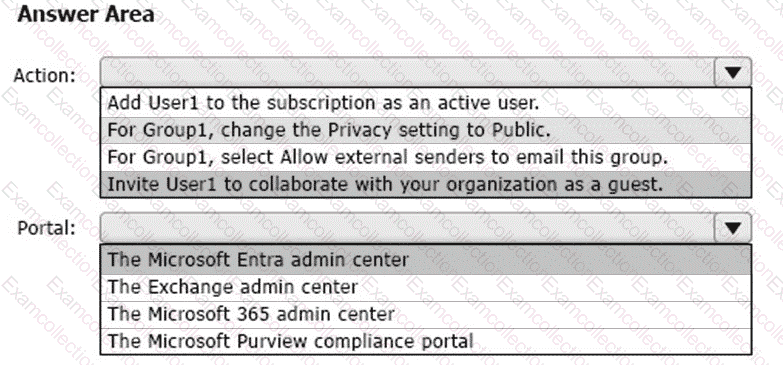
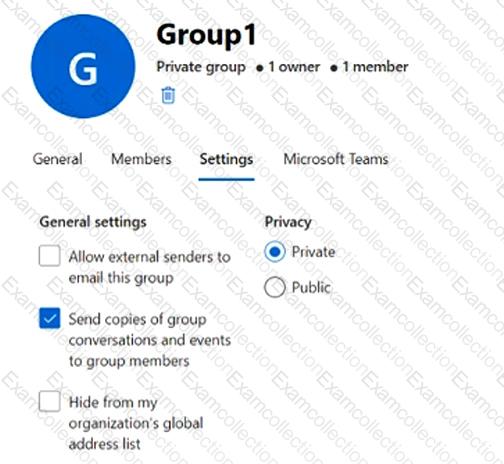
You have a Microsoft 365 subscription that contains a Microsoft 365 group named Group1. Group1 is configured as shown in the following exhibit.
An external user named User1 has an email address of user1@outlook.com.
You need to add User1 to Group1.
What should you do first, and which portal should you use? To answer, select the appropriate options in the answer area.
NOTE: Each correct selection is worth one point.