


Genesys PC-CIC-Core - PureConnect: CIC Core Certification
The call center supervisor for your company must have access to the three workgroups that she manages in order to make changes to workgroup membership as necessary and to manage the workgroup settings. You want to ensure she can view only those workgroups in interaction Administrator and nothing else.
How would you configure the supervisor's account to provide access only to the three workgroups?
What application can you use to build custom workspaces to monitor various aspects of the CIC system and the contact center activity? This application works with other add-on applications, such as Interaction Recorder and Interaction Optimizer.
What element CANNOT be calculated for intelligent distribution of interactions when using the ACD queue type for a workgroup?
You are performing an IC server implementation. You would like all users to be able to answer calls, place calls on hold and disconnect calls.
What object allows you to configure these settings in the most efficient manner?
You are an IC administrator for a large international company based in Indianapolis, IN. Matt, a manager who lives and works in Minneapolis is having issues with his Interaction Client configuration. He says the company directory has disappeared.
What is the best way to help Matt get his Interaction Client configured correctly?
Your company has just hired Bruce Scott as a new system administrator. When you created Bruce's user object, you checked the Master Administrator checkbox.
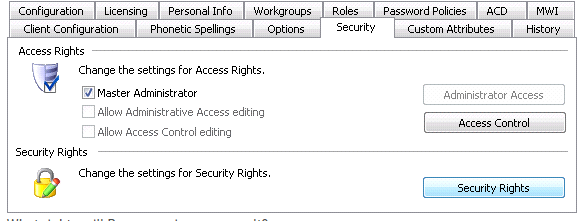
What rights will Bruce receive as a result?
The International Sales manager at your company wants to ensure that each agent gets a chance to be the first in line for a sales call. He wants calls looped through the list of agents logged into the queue, starting with the first agent and "remembering' the last user who was sent a call. Each new call will go to the agent in the list after the last agent who received a call.
What type of queue is designed to perform in this manner?
You want to configure your automated attendant so that when a caller wants to speak directly to a sales representative in the Sales workgroup, they press 1.
What type of operation in interaction Attendant would you use for this functionality?
