

Summer Sale Special Limited Time 70% Discount Offer - Ends in 0d 00h 00m 00s - Coupon code: xmas50

UiPath UiPath-ADPv1 - UiPath Automation Developer Professional Exam (2024.10) (ADPv1)

Page: 1 / 7
Total 205 questions

In a UiPath REFramework project, what is the primary purpose of using Custom Log Fields?

A.

To maintain contextual insights within log messages, including secure details like credentials.

B.

To add specific contextual information to log messages that are relevant to the automation process.

C.

To modify the representation of logged contextual data as it is displayed in the Orchestrator.

D.

To generate extra variables alongside log messages, enhancing workflow understanding.

Which of the following examples accurately demonstrates using LINQ to perform data operations in a UiPath process?

A.

Employing LINQ to concatenate two strings in a list by writing listOfStrings.Concatenate( " String_1 " , " String_2 " ).ToList().

B.

Using LINQ to filter DataTable rows based on a specific condition by writing dataTable.AsEnumerable().Where(Function(row) row( " ColumnName " ).ToString.Contains( " Value " )).CopyToDataTable().

C.

Applying LINQ to convert a list of integers to a JSON format by writing listOflntegers.ToJSON().ToList().

D.

Utilizing LINQ to split a DataTable into multiple smaller DataTables based on a specific condition by writing dataTable.Splitf ' ColumnName = ' Condition ' " ).CopyToData Tablet).

When building automation projects, which statement is true regarding Perform Remote Debugging?

A.

Perform Remote Debugging is only possible when the automation project does not involve Orchestrator queues and assets.

B.

Perform Remote Debugging enables developers to design new III elements for the automation project.

C.

Perform Remote Debugging refers to the process of testing and debugging an automation project on the same machine where UiPath Studio is installed.

D.

Perform Remote Debugging allows developers to debug a project on a different machine using a web-based interface.

A developer intends to enter text into an input field using a combination of a string and a hotkey. The input action should take place within a hidden or minimized window.

Which input method(s) can be used individually for the Type Into activity?

A.

Window Messages only.

B.

Simulate only.

C.

Same as App/Browser and Simulate.

D.

Simulate and Window Messages.

Under what conditions will a trigger be automatically disabled upon failure in Integration Service?

A.

When the job is not able to start after 3 attempts for a single event or the job does not start for the last 25 events.

B.

When the job is not able to start after 5 attempts for a single event or the job does not start for the last 50 events.

C.

When the job is not able to start after 11 attempts for a single event or the job does not start for the last 100 events.

D.

When the job is not able to start after 20 attempts for a single event or the job does not start for the last 200 events.

What are the five severity levels of Orchestrator alerts?

A.

Info, Success, Warn, Error, Fatal.

B.

Info. Success. Warning. Error. Critical.

C.

Information, Complete. Warning, Error, Failure.

D.

Info, Completed. Warning, Error. Fatal.

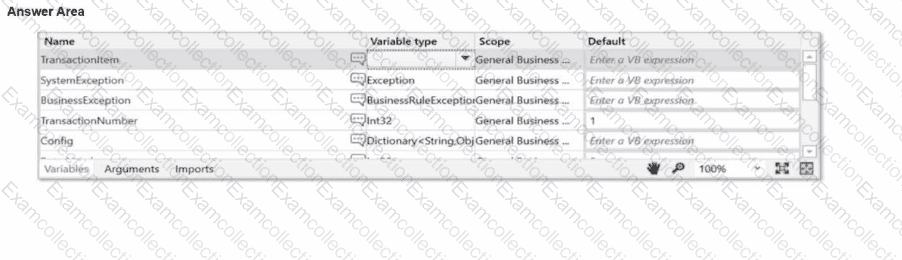
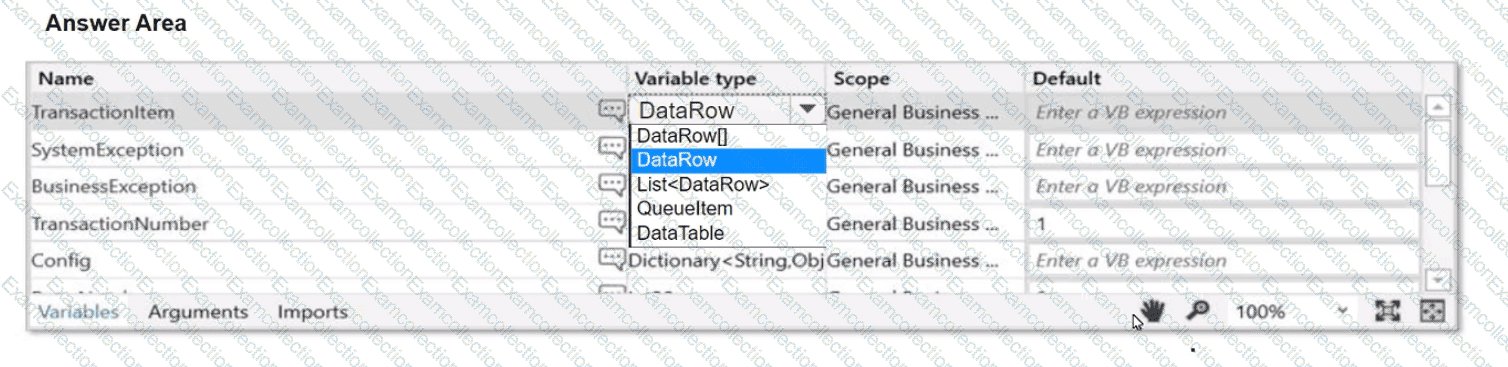
A developer aims to employ the REFramework for automating a business process that Involves a TransactionData collection (DataTable) comprising vendor names and addresses.

Instructions: Choose the appropriate variable type for the Transactionltem from the provided drop-down list in the following exhibit.
When configuring the Max # of retries for the queue in Orchestrator to " 1 " for your process, and the queue has 5 transaction items. At runtime, the first transaction item throws a Business Rule Exception.

How does the process proceed?

A.

Transaction is retried multiple times until processed successfully.

B.

Transaction is not retried but remaining transactions continue processing.

C.

Transaction is retried only one time.

D.

Transaction is not retried and the process stops.

A user is working on their computer while an automation is running in PiP mode. What can the user do while the process runs?

A.

Suspend the PiP session and resume it later without affecting the automation.

B.

Open a second PiP window to run a different automation.

C.

Directly interact with the automation running in PiP mode.

D.

Access files and modify documents without interrupting the automation.

Considering a process developed using REFramework, if the status of a transaction was set to " Failed " with the ErrorType specified as " Business " , the process will transition to which state?

A.

End Process

B.

Initialization

C.

Get Transaction Data

D.

Process Transaction